Quick disclosure: this page contains an affiliate link. If you buy through it, I may earn a commission at no extra cost to you. It doesn’t change my opinion of the product.
Most AI tools give you an answer and leave the work to you. Ask a chatbot how to find 50 local leads and you get a seven-step guide, then you still open 40 tabs and copy everything by hand.
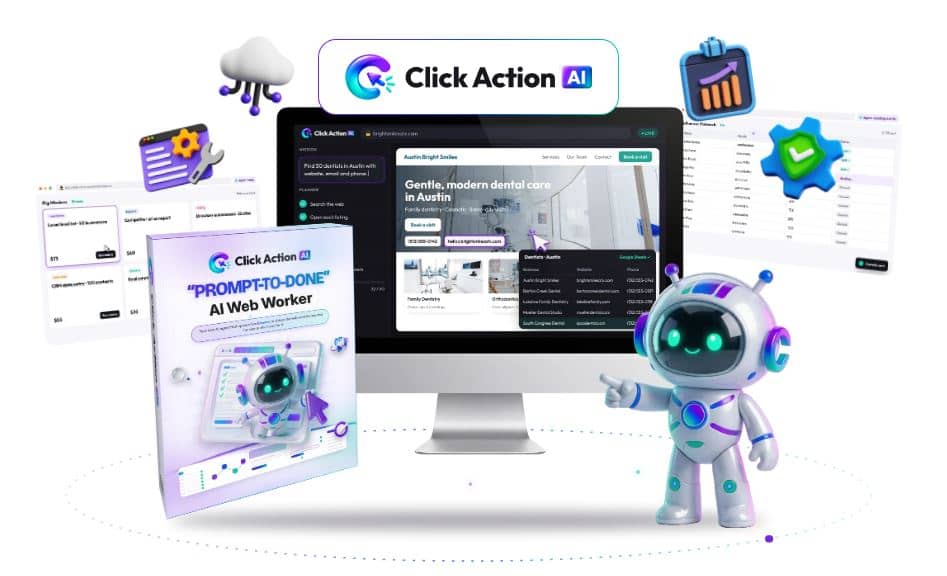
Click Action AI, a new launch from Yogesh Agarwal, tries to fix that. You type a job in plain English, a live browser opens in the cloud, and the AI does the clicking, typing and copying while you watch.
In this Click Action AI review, I’ll go through what the software does, the features, the price, the bonuses, the downsides, and who should skip it. I built this review from the official sales page, the demo videos and the vendor’s feature list, so I’ll flag where a claim comes from the vendor and not from independent testing.

Get Access Click Action AI Bundle Deal Today

What Is Click Action AI?
Click Action AI is a cloud-based AI web worker. You give it a task, and it opens a real browser, visits websites, reads the pages and carries out the steps to finish the job. It doesn’t send you instructions. It tries to deliver the finished result, such as a lead list, a competitor price sheet or a set of filled-in forms.
The vendor sums it up as “Prompt, live browser, job done.” You describe the outcome you want, and the AI plans the steps itself.
It’s built mainly for freelancers, agencies, local lead sellers, virtual assistants, consultants, e-commerce sellers and small business owners. These are people who spend hours on repetitive browser work such as research, data entry and prospecting.
Who Is Behind Click Action AI?
Click Action AI comes from Yogesh Agarwal, a vendor well known in the JVZoo launch community. His products usually target marketers and online business owners, and this one follows the same pattern: a front-end tool at a low one-time price, with optional upgrades after checkout.
The software is sold through JVZoo, and the vendor offers a 30-day money-back guarantee.
How Click Action AI Works
The workflow is simple, which is a big part of the appeal. It runs in three steps.
Step 1: Describe the Job
You type what you want done in plain English, for example “Find 50 roofing companies in Dallas with emails and phone numbers.” You can also pick one of the ready-made missions. You describe the outcome and skip the individual clicks.
Step 2: Watch the Live Browser Work
A real browser opens in the cloud. The AI breaks the request into steps, shows a checklist, then searches, clicks, scrolls and moves between sites. You can watch every action live, so you aren’t guessing what it’s doing.
Step 3: Collect the Results
When the mission finishes, the results come back organized and ready to export to CSV or Google Sheets. If the AI hits a login, a verification code or an important decision, it pauses and asks you first.
Click Action AI Features
Here are the features that matter most, based on the official feature list.
Live Browser View
You see the AI work in real time. For anyone who has been burned by automation tools that run in the dark and fail silently, this is a real advantage.
Auto Step Planner and Smart Re-Planning
You don’t build workflows or write scripts. The AI plans its own steps, and if a page changes or a step fails, it tries another route. Old-style bots break when a button moves, so this is the main claim separating Click Action AI from them.
Multi-Site Missions
One mission can run across several websites. For example, it can search Google Maps, visit each business website, look for an email address and compile everything into one sheet.
Lead Finder Mode
You enter a niche and a city, and it returns an organized lead list. The demos show examples such as roofers in Dallas, auto body shops in Phoenix and brunch restaurants in Nashville.
Form Filling, Data Entry and Posting
It can fill in forms, move data between web apps and publish content through dashboards like WordPress. It works inside your logged-in sessions, and the vendor says logins are stored encrypted.
Pause and Take Over
For CAPTCHAs, verification codes or sensitive actions, the AI stops and hands control to you. You can also step in at any time and give control back. This keeps you in charge of anything important.
50+ Ready-Made Missions
Instead of starting from a blank prompt, you can launch prebuilt missions for lead lists, research and competitor checks. This helps beginners who aren’t sure how to word a task.
CSV and Google Sheets Export, Plus Commercial License
Results export to CSV or Google Sheets. The commercial license lets you deliver the output to paying clients, which matters if you plan to sell services.
What Can You Actually Do With Click Action AI?
The vendor’s demos show real examples, and they give a good sense of the intended use:
- Finding local roofing contractors on Google Maps, checking each website for an email, and ranking the likely hot leads
- Spotting auto body shops with outdated websites, such as no https, an old copyright year or no online quote button
- Listing restaurants that have no online ordering or booking button
- Scanning top YouTube results for a topic and suggesting video ideas the top videos missed
- Reading Instagram profiles from a saved login to find local businesses with no link in their bio
Other uses listed on the sales page include competitor pricing reports, directory submissions, CRM data entry, prospect research before a sales call, and posting drafts into WordPress.
One thing to keep in mind: the demos are curated by the vendor. Results on your own tasks will depend on the website, the wording of your prompt and whether the site allows automation.
Click Action AI Pricing and Launch Details
The front-end version, called Click Action AI Commercial, is priced at $37 as a one-time payment with no monthly subscription. The sales page lists it as normally $147 and says the founder’s offer saves you $110. Treat any “regular price” as marketing language.
Here’s what the launch looks like:
- Cart opens: Tuesday, November 10, 2026 at 11:00 AM EST
- Cart closes: Sunday, November 15, 2026 at 11:59 PM EST
- Refund policy: 30-day money-back guarantee
- Payment: PayPal and major credit cards, through JVZoo
Launches like this often use a “dime sale” structure, where the price rises in steps during the sale. If you’re planning to buy, the early window is usually the cheapest.
Click Action AI OTOs: Every Upgrade Explained
When you buy the $37 front-end, the checkout funnel offers five optional upgrades. You don’t need any of them to start using Click Action AI. Still, a few solve real problems once you outgrow the base version, so here’s what each one does and who it suits. Prices are the ones listed in the launch funnel and can change during the sale, so check each page before you click.
OTO 1: Click Action AI Pro ($67)
The front-end handles single tasks. Pro is built for bigger projects. The main change is that one web agent becomes a team. You can run several agents at once, split a large mission between specialized agents, and let an AI Supervisor plan the work, track progress and combine everything into one finished result.
Other things Pro adds:
- Deeper planning before the AI starts clicking
- More memory across long missions
- Advanced Research Mode
- Smarter recovery when a step fails
- The option to feed in your own files and lists and turn them into browser missions
- Advanced CSV, spreadsheet and report exports
- Priority mission processing
- Five exclusive Pro bonuses
Who it’s for: people running long, multi-part jobs, such as researching a whole market or processing a big list of prospects.
My take: if your work is mostly quick, one-off tasks, the front-end covers you. Pro makes sense when a single job turns into a project with many moving parts.
OTO 2: Click Action AI Automation ($97)
This upgrade changes the agent from on-demand to always on. Instead of typing the same prompt every week, you set standing orders. Missions run on a schedule, start when certain conditions are met, or hand off to the next mission automatically.
What you get:
- Scheduled browser missions that run daily, weekly or monthly
- Trigger-based workflows
- Chained multi-mission workflows
- Automatic competitor watch
- Recurring lead research routines
- Fresh web data and recurring reports on a schedule
- Automatic result delivery
- Notifications when a job finishes, fails or needs your input
- Approval steps that still pause for you
- Five exclusive Automation bonuses
Who it’s for: anyone with repeat work, like weekly competitor price checks, regular lead pulls or monthly reports for a client.
My take: it’s only worth the money if you have jobs that repeat. For occasional work, you won’t use it enough. The fact that approvals and verification steps still pause for you is a good safeguard.
OTO 3: Click Action AI Agency ($147)
The front-end already includes a commercial license to deliver results to clients. The Agency upgrade goes further and is designed to help you run a small research and data service business.
What’s included:
- Commercial license for client work
- A separate workspace for each client
- Deliverables under your own branding
- Professional client-ready reports
- Ready-to-sell service packages
- Service pricing guides
- Proposal templates
- Client intake forms
- Recurring service blueprints
- Multi-client mission management
- Five exclusive Agency bonuses
Who it’s for: freelancers who already have a few paying clients, and people who want to sell lead lists, competitor reports and market research as a service.
My take: the sales kit, with packages, pricing guides and proposal templates, is what makes this different from a plain license. It’s most useful if you already have a plan to find clients. If you don’t, those templates won’t find them for you.
OTO 4: Click Action AI Cinematic Sites AI ($37)
This is a separate website-building tool that fits alongside Click Action AI. It builds a cinematic, 3D-style business website from one text prompt, with a team of AI agents handling the design, copy, images and optimization. No coding or designers are needed.
Features include:
- Website creation from a single prompt
- AI designing, writing and copywriting agents
- AI images and graphics
- A Google Maps lead scraper
- Built-in outreach emails and templates
- An AI sales chatbot on every site
- Appointment booking and payment collection
- SEO and speed optimization
- Premium hosting with free SSL
- Custom domain connection
- Download your sites as HTML
Who it’s for: people who sell services to local businesses and want to offer websites on top of leads and research.
My take: the pairing makes sense. You use Click Action AI to find local businesses with weak or outdated sites, then use Cinematic Sites AI to build them a new one. At $37, it’s a reasonable add-on for that kind of workflow, though it isn’t needed to use the core tool.
OTO 5: Click Action AI Claw Agents AI ($37)
Claw Agents AI is an all-in-one AI business platform, also cloud-based. It gives you specialized agents for content, marketing, research, sales, support, SEO and social media, all from one dashboard. You describe what you need in plain language, and the matching agent does the work.
Features include:
- Specialized AI business agents
- Access to multiple premium AI models
- Content and copywriting agents
- Marketing and sales automation agents
- SEO and keyword research agents
- Social media content creation
- Email marketing and outreach agents
- Research, analytics and reporting agents
- Ready-to-use business workflows
- Commercial license included
- Nothing to install
Who it’s for: people who want one place for writing, marketing and research tasks that don’t need a browser.
My take: it works as a companion to Click Action AI. One tool handles the thinking and writing, the other handles the browser work. If you already pay for several AI subscriptions, this may help you cut a few.
Do You Need the Click Action AI OTOs?
No. The front-end gives you the AI web worker, the live browser, the 50+ ready-made missions, exports and the commercial license. That’s enough to find out whether the tool fits your work.
Here’s how I’d approach the upgrades:
- Run a few real jobs with the front-end first, within the 30-day refund window
- Add Pro if single missions start to feel too small, or you need several agents on one project
- Add Automation only if you have tasks that repeat on a schedule
- Add Agency once you have clients to serve, or a clear plan to get them
- Consider Cinematic Sites AI if you plan to sell websites to local businesses
- Consider Claw Agents AI if you want an all-in-one writing and marketing assistant
Buying every upgrade on day one is the easiest way to overspend. Start small, then add what your work actually needs.
Click Action AI Bundle Options
Besides the five OTOs, the funnel also lists bundle deals: Premium and Ultimate bundles at $367 and $467, a Done-For-You option at $167, and a Mega Bundle at $127. Bundles can cost less than buying each upgrade separately, but only if you would really use most of what’s inside. Compare what each package includes with the individual upgrades above before you decide.
Click Action AI Bonuses
Buying through the launch page also comes with seven vendor bonuses, which the vendor values at over $2,870 (that figure is theirs, not mine). They’re mostly business-starter material:
- The Ready-To-Run Command Vault: 300 one-line mission commands
- The Who-Buys-Leads Map: 100 lead-list niches that businesses pay for
- The Gig Listing Vault: 50 ready-to-post gig listings with three pricing tiers
- The Open-The-Door Swipe Pack: 75 first-client outreach messages
- The Look-Premium Report Kit: 25 client-ready report layouts
- The Never-Stuck Playbook: 40 rewrites for when a mission stalls
- The 30-Day First Client Sprint: a day-by-day launch calendar
The Command Vault and the Never-Stuck Playbook look the most useful to me, since writing good prompts is where most beginners struggle with agent tools.

Click Here To See All Exclusive Bonuses
Click Action AI vs ChatGPT Agent, Manus, Skyvern and Browser Use
The vendor’s own comparison table puts Click Action AI against four other browser or agent tools. According to that table, the 12-month costs are:
- ChatGPT Agent: about $240 a year ($20 a month)
- Manus: about $228 a year ($19 a month)
- Skyvern: about $348 a year ($29 a month)
- Browser Use: about $348 a year ($29 a month)
- Click Action AI: $37 one-time
These are the vendor’s figures, so check current pricing on each tool before you decide. Those platforms change plans often, and they’re general-purpose tools with different strengths.
The real difference is the business model. The competitors are subscriptions, while Click Action AI is a one-time payment that comes with a commercial license and ready-made missions for client work. One catch: the FAQ mentions a monthly task allowance shown in your dashboard, and the sales page doesn’t say how large it is. Check that before you buy if you plan to run high volumes.
Click Action AI Pros and Cons
Pros
- One-time price instead of a monthly fee
- Live browser view, so you can see what the AI is doing
- No coding, scripting or workflow building
- Runs in the cloud, so it doesn’t tie up your computer
- Pause and take-over option for logins and verifications
- Commercial license for client work
- 50+ missions and seven bonuses that help beginners start faster
- 30-day money-back guarantee
Cons
- There is a monthly task allowance, and the sales page doesn’t state the limit
- Some websites block automation or require human verification, so not every job will work
- Results depend on how clearly you write the prompt
- The demos are vendor-made, and I couldn’t find independent third-party reviews yet because the product hasn’t launched
- Upgrades are offered at checkout, so the total spend can go beyond $37
- “Lifetime” means the product’s supported life, roughly 3 to 5 years
- Scraping data and sending outreach can raise legal and platform-policy issues, so you’re responsible for following each site’s rules and local laws
Who Should Buy Click Action AI?
It’s a good fit if you:
- Sell freelance services like lead lists, research or data entry and want to deliver faster
- Run a small agency and want to cut research and prospecting time
- Work as a virtual assistant and want to take on more clients
- Are a business owner who’s tired of copying data between tabs
- Want a one-time-payment tool instead of another subscription
Who Should Skip It?
You may want to pass if you:
- Need guaranteed, unlimited high-volume scraping
- Expect to earn money without doing any selling or client work
- Want a tool that works on every website without exception
- Are looking for a general-purpose AI assistant for writing and brainstorming, where a chatbot already does the job
Is Click Action AI Legit?
Based on what’s published, the product looks like a real software launch from an established JVZoo vendor, with a stated refund policy, a support desk and standard legal pages. The 30-day guarantee lowers the risk of trying it.
I’d keep one note of caution. The sales page shows success stories of people earning thousands of dollars a month with AI agents in general. Those examples aren’t results from Click Action AI itself, and the vendor’s own disclaimer says results aren’t typical and income isn’t guaranteed. Treat this as a productivity tool that can help you do web work faster, not a shortcut to income. Your results will depend on your skills, your niche and the effort you put into finding clients.
Click Action AI Review FAQ
What is Click Action AI?
Click Action AI is a cloud-based AI web worker that opens a live browser and completes tasks like lead research, data entry, form filling and posting from a single plain-English command.
How much does Click Action AI cost?
The front-end version is $37 as a one-time payment, with no subscription. Optional upgrades are offered at checkout, and the launch price may rise during the sale.
Is there a Click Action AI free trial?
I couldn’t find a free trial. There is a 30-day money-back guarantee, which lets you try it and ask for a refund if it doesn’t work for you.
Does Click Action AI run on my computer?
No. The browser runs in the cloud, so your computer stays free and you can watch missions from any device.
Do I need technical skills to use it?
No. You type the job in plain English or pick a ready-made mission. No coding or workflow building is needed.
Can I use Click Action AI for client work?
Yes. The commercial license lets you deliver the results to clients.
Is it safe to let it use my accounts?
The vendor says logins are stored encrypted and that important actions wait for your approval. As with any tool that uses your accounts, use caution with sensitive ones.
Can it work on any website?
It handles most everyday browser tasks, but some sites block automation or require human verification. The vendor says it follows those sites’ rules.
When does Click Action AI launch?
The cart opens on November 10, 2026 at 11:00 AM EST and closes on November 15, 2026 at 11:59 PM EST.
Does Click Action AI have upsells?
Yes. The funnel offers five optional upgrades: Pro ($67), Automation ($97), Agency ($147), Cinematic Sites AI ($37) and Claw Agents AI ($37). There are also bundle options. None of them are required to use the front-end version.
What’s the difference between Click Action AI and Click Action AI Pro?
The standard edition handles individual tasks. Pro is built for larger projects, with multiple web agents working at once, an AI Supervisor that coordinates them, more memory for long missions and an Advanced Research Mode.
Which Click Action AI upgrade should I buy first?
Most people can start with none. If your missions are getting too big for one agent, try Pro. If you have recurring jobs, look at Automation. If you already have paying clients, consider Agency.
Final Verdict: Is Click Action AI Worth It?
Click Action AI goes after a real problem. Plenty of people are paying for AI subscriptions and still doing every browser task by hand. An agent that opens a browser, shows its work and hands back a finished file is a more practical idea than another chatbot.
At $37 one-time, with a 30-day refund window, the risk is low for freelancers, agencies and VAs who do repetitive web work. The unknowns are the monthly task allowance and how reliably it handles your specific sites, so test it on a real job in the first week, while you’re still inside the refund period.
If you want to try it, use the link below. Run a lead list or a competitor price report first, and judge it on the quality of that output.
Get Access Click Action AI Early Bird Today
(Use Coupon CAAI6 for $6 Off)

Get Click Action AI Bundle Deal (Use Coupon CAAI100 for $100 Off)
THESE ARE CLICK ACTION AI BONUSES WHEN YOU BUY IT VIA MY LINK TODAY
