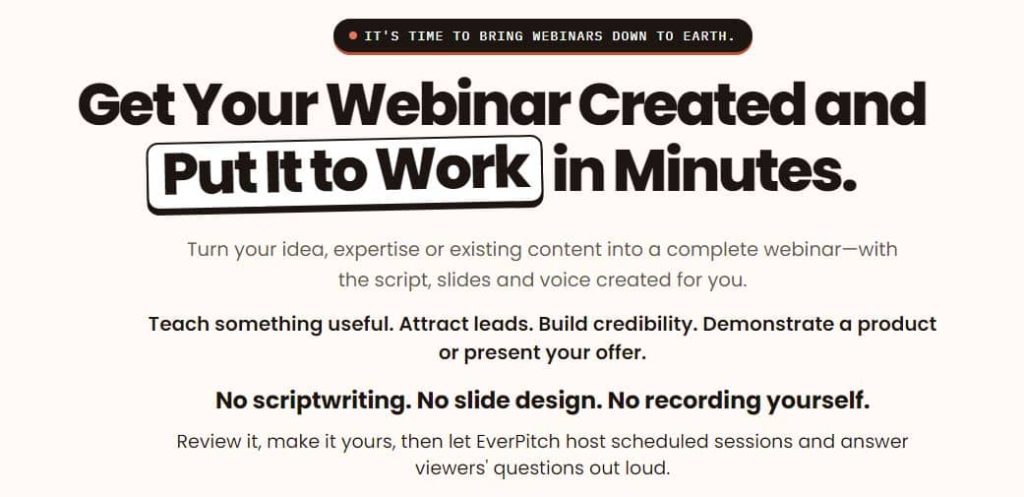
Most people know a webinar would help their business. Most people also never make one, because writing the script, building the slides, recording it and setting up the hosting takes forever. EverPitch, created by Oliver Goodwin of Synthesys AI Studio, tries to remove all of that work.
In this EverPitch review, I’ll go through what the platform does, how the credit system works, what each plan costs, and where it falls short. I based this on the official demo video and the sales page, so you’ll get the details without having to dig for them.
Disclosure: This page contains affiliate links. If you buy through them, I may earn a commission at no extra cost to you. The content was written with AI assistance and edited by a human.

EverPitch Review: Quick Verdict
Product: EverPitch
Creator: Oliver Goodwin, Synthesys AI Studio
What it does: Turns a topic, document, link or recording into a finished webinar (script, slides, voiceover) and runs it on a schedule
Price: $37 one-time for the Commercial plan, with 3,000 creation credits every month
Refund: 30 days, handled through JVZoo
My rating: 4 out of 5
Short version: if you want webinars but hate the production work, EverPitch is a low-risk way to try it. If you’re expecting it to bring you traffic or sales on its own, it won’t.
What Is EverPitch?
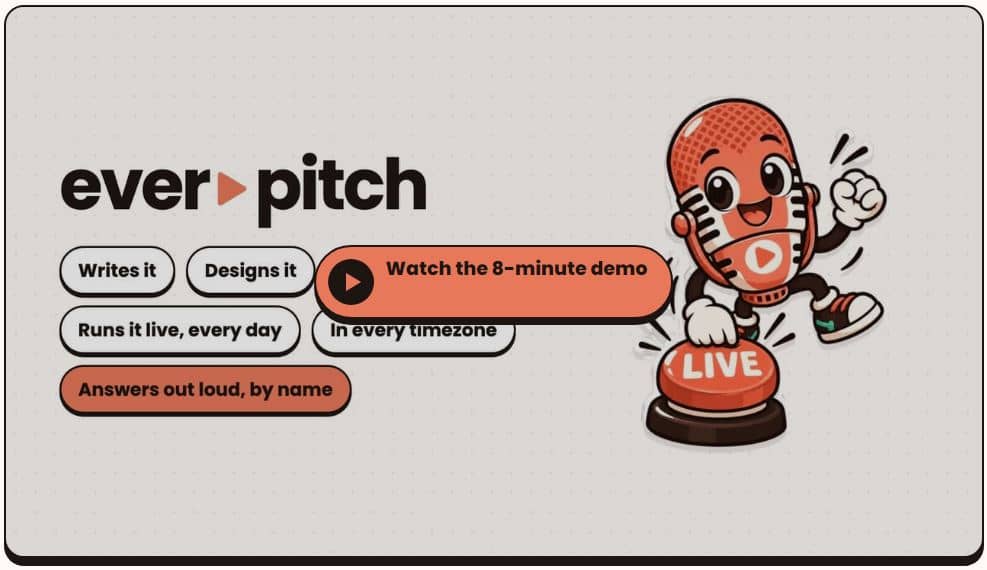
EverPitch is an AI webinar platform. You give it a topic, a PDF, a sales page URL, or an old recording such as a Zoom call. It writes the script, designs the slides, adds an AI voice, and then hosts the finished webinar for you.
The hosted part is what separates it from a plain AI presentation maker. Your webinar runs in a live-style room on a schedule, every viewer sees session times in their own timezone, and an AI host answers questions out loud during the session.
It’s built for coaches, consultants, local service businesses, software owners, course creators and affiliate marketers who want a webinar without appearing on camera.
How EverPitch Works
The process is simpler than most webinar setups I’ve seen.
Step 1: Describe your webinar
You can start with a one-line prompt, a guided form, an uploaded document, a sales page link or an existing recording. The tool takes whatever you give it and builds from there.
Step 2: Review and customize
EverPitch generates the script, slides and voice. You can read and edit every line of the script, and you can change slides by typing a request like “make this a comparison” or “shorten the bullets.” You review everything before it goes live, which matters because AI output always needs a human pass.
Step 3: Publish and share
Pick a registration page, set your schedule and share the link. You can also embed a join button on your own website.
Watch EverPitch Demo Video
EverPitch Features
Script and slide generation
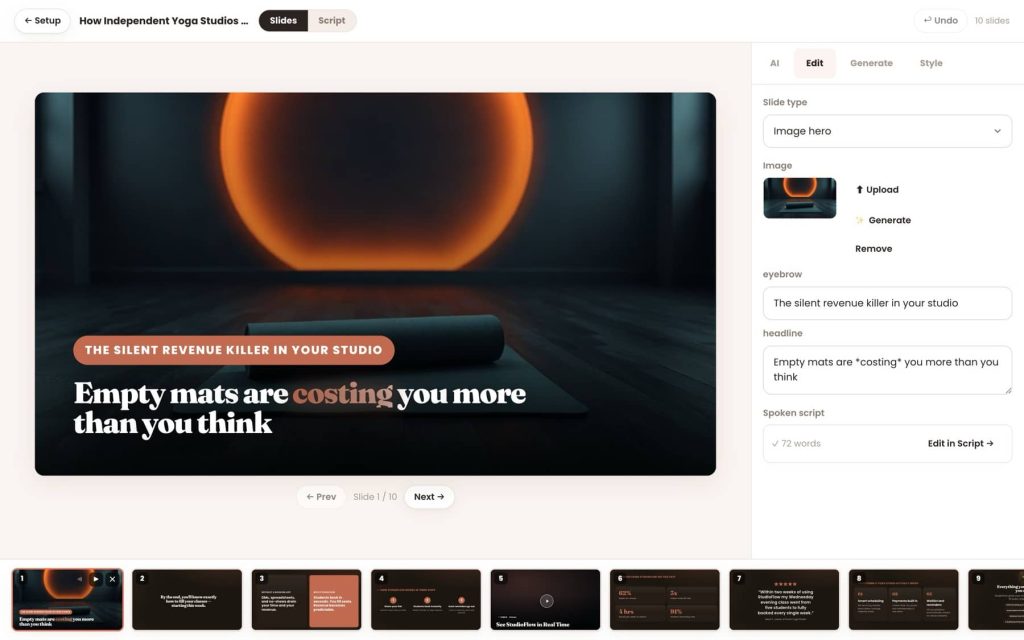
The AI writes a full webinar script, then builds slides from 73 layouts across 11 visual styles, using your brand colors and logo. You can also bring your own deck as a PDF.
AI voices in 87 languages
There are 30 AI voices, and narration is available in 87 languages. You can also create translated, re-voiced copies of one webinar and link them together, so each visitor gets their own language automatically.
Slide Studio editing by chat
Instead of dragging boxes around, you tell the Slide Studio what to change and it rebuilds the slide. According to the sales page, the voiceover still lines up afterward, which saves a lot of tedious fixing.
Automated webinar room
Your webinar plays as an automated evergreen session on a shared clock, so everyone in a session sees the same moment. Late joiners land at the current point. Polls, handouts and your offer appear at the times you choose.
One thing worth saying clearly: these sessions are automated, not live, and EverPitch discloses that. The optional simulated audience is also disclosed on the registration page. If you use this tool, be upfront with your viewers too.
AI Q&A host
The host greets people, sorts the chat and answers questions out loud. Answers are drawn only from your webinar’s content, which keeps it from making things up. You get up to 20 spoken answers per session at no extra credit cost, and spam is screened before anything is read aloud.
Registration pages, emails and checkout
The funnel pieces are built in: 31 registration page templates, 20 replay page templates, reminder emails, calendar invites, follow-up emails and analytics. Checkout connects to Stripe, PayPal, Lemon Squeezy or Razorpay, so payments go to your own account. Leads can be sent to tools like Mailchimp, ActiveCampaign, GoHighLevel, GetResponse, Brevo, AWeber, Kit, or through Zapier, Make and n8n.
H3: Turn old recordings into webinars
Upload a recording up to 2 GB and EverPitch can wrap a live-style room around the full video or cut a shorter version. It reads the slides from the video, so names and prices come out correctly. You can also paste a demo link and it finds the right spot to drop it in.
EverPitch Pricing and Credits
EverPitch Commercial: $37 one-time
This is the main plan. It includes every core feature covered above, 3,000 creation credits per month, three bonuses and a 30-day guarantee. There’s no required monthly subscription. Commercial is licensed for your own business and projects, not for client work.
EverPitch Bundle: $197
The Bundle includes Commercial plus 10 finished webinars to rebrand, 24 ready-made webinar kits, agency rights to run webinars for clients, removal of the “Powered by EverPitch” branding on client pages, and 8,000 credits per month. Bundle pricing may differ slightly during the launch period, so check the current price on the official page.
Optional upgrades
EverPitch also offers upgrades after the main purchase. These include a Credit Boost at $77 per year (8,000 credits a month), DFY Webinars at $67, Kit Vault at $47, Agency at $77 and Ultra at $97 per year, which adds premium AI features and streaming. None of them are required to use the core product, but it’s worth knowing they exist before you check out.
How the credits work
Creation costs 40 credits per finished webinar minute. A 15-minute webinar uses about 600 credits, so 3,000 credits covers roughly 75 minutes of webinar creation a month, or five 15-minute presentations. Webinars you’ve already built keep running even when your credits run out. New builds wait until the credits refresh the following month.
If you plan to build long webinars or create many versions in different languages, you’ll use the credits quickly. That’s the main reason the Bundle’s 8,000 credits exists.
EverPitch Bonuses
The Commercial purchase includes three bonuses, delivered on the thank-you page after checkout:
The First 7 Days Playbook: one small task per day, from your first login to a published webinar.
The Webinar Title & Hook Bank: 100 fill-in-the-blank titles and opening lines across 10 types of business.
The After-Webinar Email Pack: 7 editable follow-up emails for people who stayed, left early, missed it or still have questions.
They’re not the reason to buy, but the email pack is useful if you’ve never written webinar follow-ups.
EverPitch Pros and Cons
Pros
- Very low entry price for a one-time payment
- No camera, microphone or design skills needed
- Script, slides, voice, hosting and follow-up in one place
- You can edit every line of the script and change slides by chat
- Q&A answers come from your own content only
- Works with several payment processors and email tools
- 30-day money-back guarantee
Cons
- It doesn’t bring traffic. You still need your own audience, ads or email list.
- Credits limit how much you can build each month on the Commercial plan
- Client work requires the Bundle’s agency rights
- AI-written scripts will need editing to sound like you
- The sessions are automated, so you have to handle disclosure honestly
- Several upgrades are offered after the first purchase, which can add to your total
Who Should Buy EverPitch?
EverPitch makes the most sense for:
- Coaches and consultants who want to explain their service without recording themselves
- Software owners who need a repeatable product demo
- Affiliate marketers who want to present a product in a webinar format
- Local service businesses that need to answer the same questions every week
- Course creators who want an evergreen lead-generation session
Who Should Skip It?
Skip EverPitch if you have no offer and no audience yet, since the tool can’t fix that. It’s also a poor fit if you want to host real live interactive webinars, or if you aren’t willing to review and edit the script before publishing.
EverPitch vs Traditional Webinar Software
Most traditional webinar platforms host a webinar you’ve already made. You still write the script, design the slides and record the presentation yourself. EverPitch handles the creation as well as the hosting, which is the main difference. The trade-off is that you give up some control compared with building everything from scratch, though the editing tools bring a lot of that back.
EverPitch Refund Policy
You have 30 days from purchase to email support and request a refund, which is processed through JVZoo. You don’t have to give a reason. For help, contact support@everpitch.co with your JVZoo receipt number.
EverPitch Review FAQ
Is EverPitch really a one-time payment?
Yes, the Commercial plan is $37 once, with no required monthly subscription. It includes 3,000 fresh credits every month.
Do I need to appear on camera?
No. EverPitch writes, designs and voices the webinar for you, so no camera or microphone is needed.
How long can an EverPitch webinar be?
You can create presentations of roughly 5 to 60 minutes. Uploaded recordings can be up to 2 GB.
What happens when I run out of credits?
Existing webinars keep running. You just can’t build new ones until your credits refresh next month.
Do Q&A answers cost credits?
No. Spoken answers are free, up to 20 per session.
Can I use EverPitch for client work?
Not with Commercial alone. Client work and white-label pages are part of the Bundle’s agency rights
Does EverPitch get me traffic or sales?
No. It creates and hosts the webinar. You bring the visitors, and results depend on your offer, audience and traffic.
Is EverPitch legit?
It’s sold through JVZoo with a 30-day refund policy, and the product has a clear, specific feature set. As with any tool, your results depend on how you use it.
Final Verdict: Is EverPitch Worth It?
After going through everything, my EverPitch review comes down to this: at $37 one-time, it’s an easy tool to try if webinars are something you’ve been putting off. The biggest strength is that it removes the heaviest parts of the job, the scripting, slide design and recording, while still letting you edit everything.
The limits are just as clear. You supply the traffic, the credits cap how much you can build on the base plan, and the AI draft needs your own voice added to it. If you go in with those expectations, the 30-day guarantee makes the risk small.
Ready to try it? Check the current EverPitch price and bonuses today.
Get Access EverPitch Early Bird Today

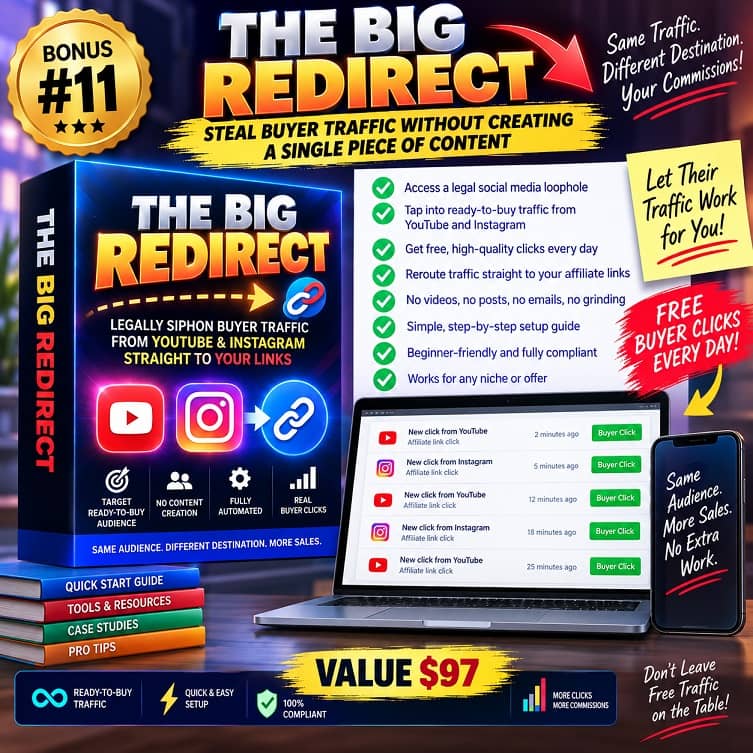
THESE ARE EVERPITCH BONUSES WHEN YOU BUY IT VIA MY LINK TODAY












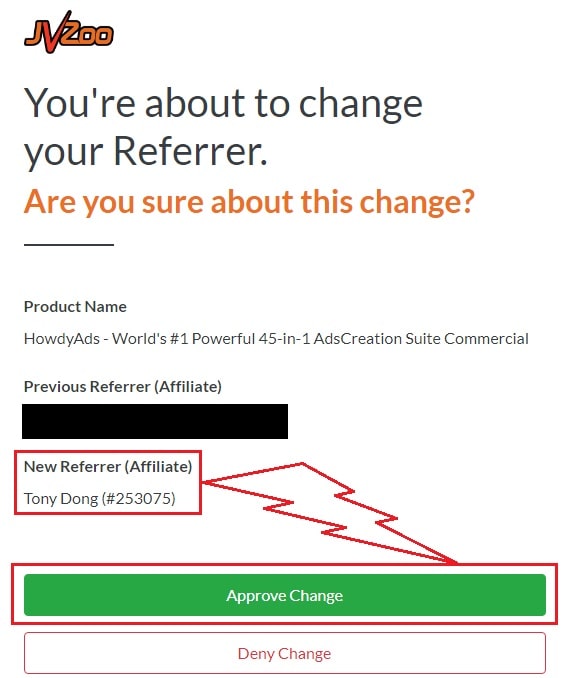
♨️ Important Update For Getting My Bonuses ♨️
You need to choose Tony Dong (253075) as your Referrer.
- If you see Tony Dong as your “New Referrer”, click the Green “Approve Change” button.
- If you see Tony Dong as your “Previous Referrer“, click the Grey “Deny Change” button.
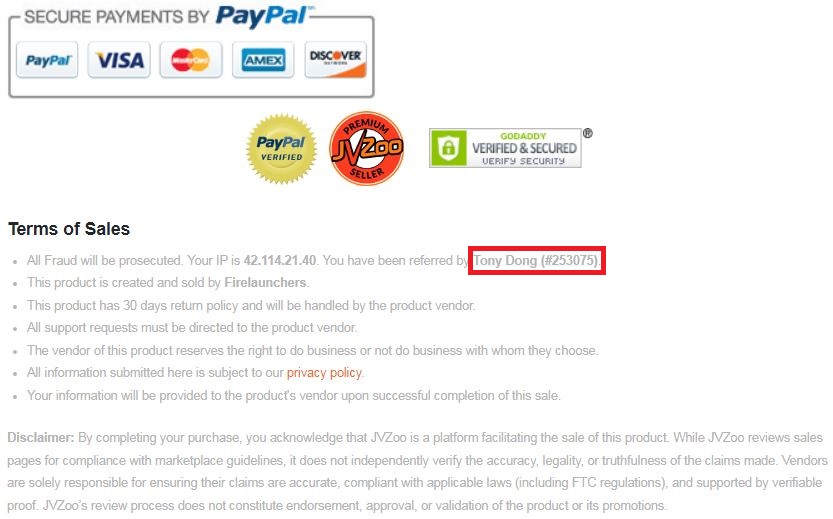
It’s very important to confirm that my affiliate ID is 253075.
Almost bonuses, I will add them to the purchase portal when you finish your transaction through my ID. If you don’t see it, please follow the instructions below
Confirm On The Checkout Page With My ID
☞ STEPS TO GET YOUR BONUSES☜
Please follow all the Important Steps Below to Claim All These Bonuses
(EXTRA BONUS + BONUS PACKAGE 1&2&3&4 + SPECIAL BONUS)
- Step#1: Press (Ctrl+Shift+Delete) or Clean/Delete the Cookies and cache of your web browser. (Please Clear It Before clicking on the Buy Button on the Sale page)
- Step#2: Get EverPitch via any link in this article EverPitch Review or Click here
- Step#3: Confirm my ID is Tony Dong: 253075 on the checkout page, and after completing the transaction, Send Me Your ID Transaction for Verification Through My Support Email at support@reviewproductbonus.com and marketingwithtony@gmail.com
- Step#4: Use the subject line “CLAIM BONUS EVERPITCH” in your email and wait
You will receive these Bonuses within the NEXT 20 hours.
Thank you for reading my EverPitch Review
Wish You Success and See You Again