Disclosure: This page contains affiliate links. If you buy through them, I may earn a commission at no extra cost to you. This review is based on the product’s official documentation, demo video and sales material.
If you’ve been looking for a way to make animated videos without hiring an animator, this RocketToons review should save you some time. RocketToons is an AI tool from Ankit Mehta and Tim Verdouw that turns a script or a one-line idea into a finished cartoon video, with characters, scenes, voices and music already built in.
It launched on October 31, 2026, so it’s brand new. Below I’ll cover what it does, how the credit system works, what each upgrade adds, and who should skip it.

RocketToons Review: The Short Version
RocketToons is a cloud-based cartoon video creator. You type an idea or paste a script, pick a visual style, and the software builds the storyboard, characters, voiceover and soundtrack. You then edit and export.
- Price: $37 one-time for the front end (use code EARLYTOONS for 10% off)
- Bundle: $317 one-time with every upgrade (code TOON50 takes $50 off)
- Best for: YouTube creators, social media managers, agencies, marketers and anyone selling video services
- Biggest catch: everything runs on credits, and the credits are one-time, not monthly
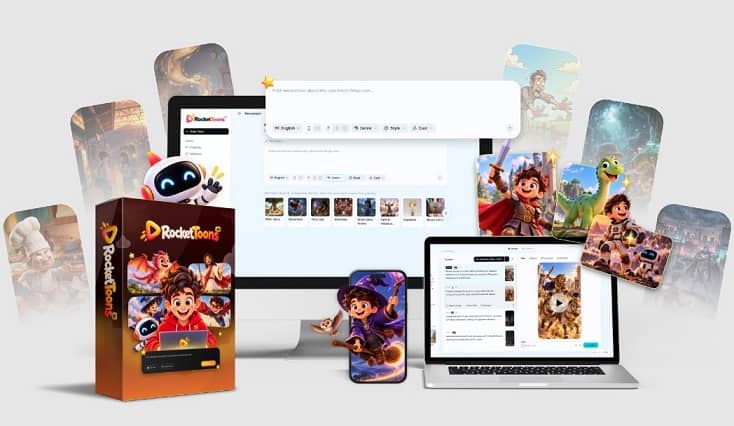

If you want the full breakdown, keep reading.
What Is RocketToons?
RocketToons is web-based software that creates animated cartoon videos from text. The core idea is simple. Instead of drawing characters, recording voices and syncing everything in an editor, you describe the story and let the AI assemble it.
The creators built it around a few things that tend to be weak spots in AI video tools:
- Consistent characters. A character should look the same in scene one and scene forty, across poses, locations and episodes.
- Your own characters. You can upload a photo of a person, a product or an original character and put them in the story.
- Voices and music in the same place. You don’t need a separate voiceover app or music library.
RocketToons Features Worth Knowing About
The front-end version is packed, so here are the parts that matter most in practice.
Story and Script Tools
You can write your own script or let the built-in writer help. It includes 11 story formats, 88 ready-made ideas and 26 occasion presets (think birthdays and holidays). If you want a series, it suggests next-episode ideas and tracks episodes by character.
Visual Styles
The front end includes 8 styles: Pixar 3D, Classic 2D, Preschool 2D, Storybook, Ghibli, Action Anime, Comic Book and Claymation. The Pro upgrade adds 6 more for 14 in total.
Characters That Stay Consistent
This is the feature the whole product leans on. You can create custom characters, places and props, then @-mention a character to place them in any shot. Photos of real people or products can be turned into cartoon versions.
Voices and Languages
There are 40 AI voices, and the tool casts them to your characters automatically. You can fix a single line of dialogue without redoing the scene. Output is available in 25 languages, which matters if you publish to more than one market.
Control Over Each Shot
You can set the camera, action, sound effects and clip length per shot. Before spending credits on full animation, you can approve still images and listen to a voiced animatic first. The last 6 takes of every shot are saved, so you can switch back for free.
Finishing and Publishing
You get 38 music tracks, 9 transitions, zoom and pan, and two word-by-word caption styles. Export formats are 16:9, 9:16 (Shorts and Reels) and 1:1. You can post straight to Facebook, Instagram, YouTube and LinkedIn, and share private client watch pages.
Exports are HD MP4 with no watermark, and the front end includes a commercial license, so you can sell the videos you make.
How RocketToons Works
The workflow is short:
- Enter a prompt or paste a script.
- Choose a visual style and set up your characters.
- Review the stills and the voiced animatic.
- Generate the animation, either from approved stills or straight from the characters.
- Add music, captions and transitions, then export or post.
The preview step is the part I like. Video generation costs credits, so being able to check the look and the dialogue before committing is a practical safeguard.
How RocketToons Credits Work (Read This Before You Buy)
Every account runs on credits, and this is the part buyers should understand before they pay.
- Video: 4 credits per second
- Picture: 1 credit
- AI composed score: 10 credits
- Story writing, voices, captions, exports and re-dos: free
What each plan includes:
- Commercial ($37): 1,000 credits
- Commercial + Elite: 3,500 credits
- Bundle: 6,000 credits
The official figure is up to 50 short videos of about 5 seconds each on the front end. By my own math, 1,000 credits is roughly 250 seconds of raw video, a little over four minutes, and that’s before you spend credits on pictures.
The same math applies to longer projects. Elite promises 15-minute movies, but 15 minutes of video at 4 credits per second is 3,600 credits, which is more than the 3,500 you get with Commercial plus Elite. Long films are possible, but they eat credits quickly, so plan your projects around the allowance. Credits are one-time with no monthly top-up, and the documentation doesn’t spell out how to buy more, so check the sales page.
RocketToons Pricing and Upgrades
The front end is required before you can buy any upgrade. Prices below come from the pre-launch materials and may change, so confirm them on the sales page.
Front End: RocketToons Commercial ($37)
The core software with 1,000 credits, all 8 styles, the voices, the editor and the commercial license. This is all most casual users need to start.
Upgrade 1: Elite ($47)
Adds 2,500 bonus credits, removes the 50-film cap, and allows 15-minute movies inside the editor. It also adds 180-day cloud storage, a content calendar, batch publishing to multiple channels, an AI caption writer, smart hashtags and channel analytics. Of the upgrades, this looks like the most useful for people who publish regularly.
Upgrade 2: Pro ($47)
Focuses on quality and editing. You get the Pro Video Engine (smoother motion and consistent faces), sharper stills, 6 extra styles, 30 premium voices, a multi-track timeline, 1080p exports, priority rendering and 5 team seats.
Upgrade 3: RocketToons Studio, Boards ($37)
Built for quick standalone clips. You can animate any photo, turn a product photo into a video ad with one prompt, extend clips and chain them together, and use 7 camera styles. This one suits e-commerce sellers and short-form content makers.
Upgrade 4: AI Agent, MCP Connector ($37)
Lets you run RocketToons from ChatGPT, Claude and other AI agents. You can write scripts, design characters, build storyboards and render clips by chat command. It includes a cost quote and balance check before each job, which helps avoid burning credits by accident.
Upgrade 5: Reseller ($97 to $197)
Gives you 25 or 100 client accounts to sell, with a dashboard and a full reseller license. You keep 100% of what you charge.
The Bundle ($317)
Includes Commercial, Elite, Pro, Studio, AI Agent and the Reseller License, plus 6,000 credits. With coupon TOON50 you save $50. If you already know you want more than the basics, the bundle is simpler than buying pieces one by one.
Order Bumps at Checkout
- Done-For-You Show ($167, bundle buyers only): the team creates a full cartoon show from one line of input and posts a 40-second episode daily for 60 days, with all AI costs covered. It’s listed at about $2.78 per episode, and a 30-day money-back guarantee applies.
- RocketPlayer ($97 one-time or $9.95 per month): a branded video player with buy buttons, lead forms, end screens and chapters. It’s useful for webinars and sales videos but has nothing to do with cartoons, so treat it as optional.
Pros and Cons of RocketToons
What works well
- Script to finished video in one tool
- Consistent characters across scenes and episodes
- Preview stills and animatic before spending credits
- Commercial license included at the front-end price
- 25 languages and 3 export ratios
- Direct posting to four major platforms
- A low entry price for what it includes
What to watch
- Credits are finite and one-time, and video burns them fast
- Several of the best features (long films, HD exports, scheduling) sit behind paid upgrades
- It’s a new launch, so there’s no long track record of reviews or updates yet
- Real output quality depends on your prompts, and AI animation still has limits
- The upgrade stack can add up quickly if you buy everything separately
Who Should Buy RocketToons?
It’s a good fit if you:
- Run a faceless YouTube or social channel and want cartoon content
- Make kids’ stories, explainers or short branded videos
- Offer video services and want a commercial license
- Work in multiple languages
- Want a character-driven series rather than one-off clips
Who Should Skip It?
Skip it if you:
- Need long, feature-quality animation with hand-tuned control
- Want live-action or realistic video rather than cartoons
- Expect unlimited generation from a single payment
- Don’t plan to publish regularly, since the credits won’t be worth it
RocketToons Review FAQ
Is RocketToons beginner friendly?
Yes. You can start from a single sentence, and the tool handles the script, characters and voices. The preview step also keeps early mistakes cheap.
Can I use RocketToons videos commercially?
Yes. The front end includes a commercial license and watermark-free HD MP4 exports.
Do I need to buy the upgrades?
No. The front end works on its own. Upgrades add credits, storage, longer films, editing tools and publishing features. You can’t buy an upgrade without the front end, though.
Is there a monthly fee?
For the main software, no. It’s a one-time payment. RocketPlayer is the only item with a monthly option, and it’s optional.
Is there a refund policy?
The Done-For-You Show and RocketPlayer both list a 30-day money-back guarantee. For the main product, check the refund terms on the sales page before you pay.
Are there discount codes?
At launch, EARLYTOONS gives 10% off the front end and TOON50 takes $50 off the bundle.
Final Verdict: Is RocketToons Worth It?
For $37, RocketToons gives a lot of tools in one place, and the character consistency and preview-before-render approach address real problems with AI video. If you create cartoon content on a regular basis, it’s a reasonable low-risk way to start.
My honest advice is to start with the front end unless you already know you’ll make long or high-volume content. The credit limits are the main thing to plan around, and the upgrades matter most once you’ve hit them. If you’re sure you’ll go deep, the $317 bundle is the cleaner route.
Get RocketToons here →
Use code EARLYTOONS for 10% off the front end, or TOON50 for $50 off the bundle.
Get Access RocketToons AI Early Bird Today

Get Access RocketToons Bundle Deal Today
THESE ARE ROCKETOONS AI BONUSES WHEN YOU BUY IT VIA MY LINK TODAY
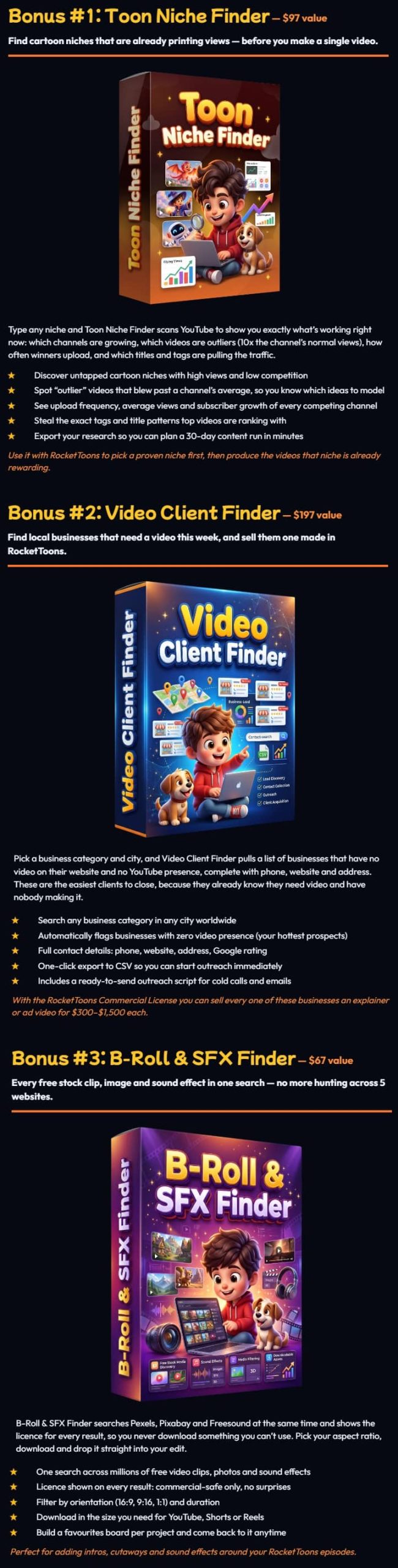
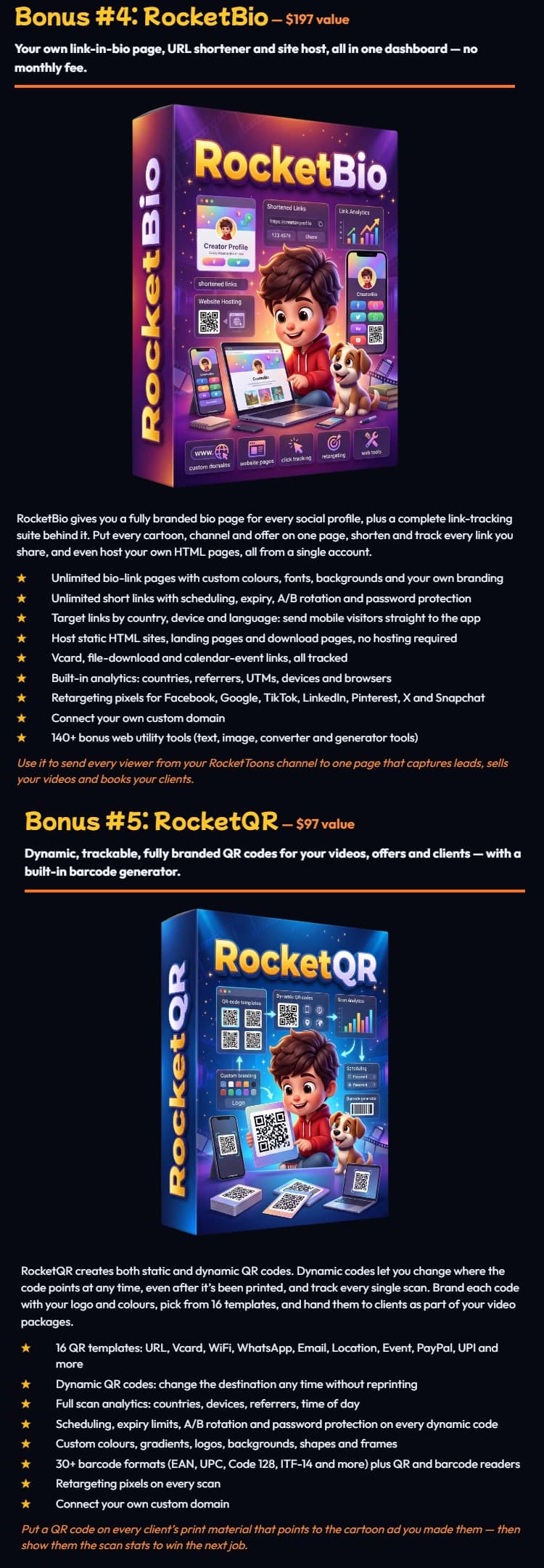
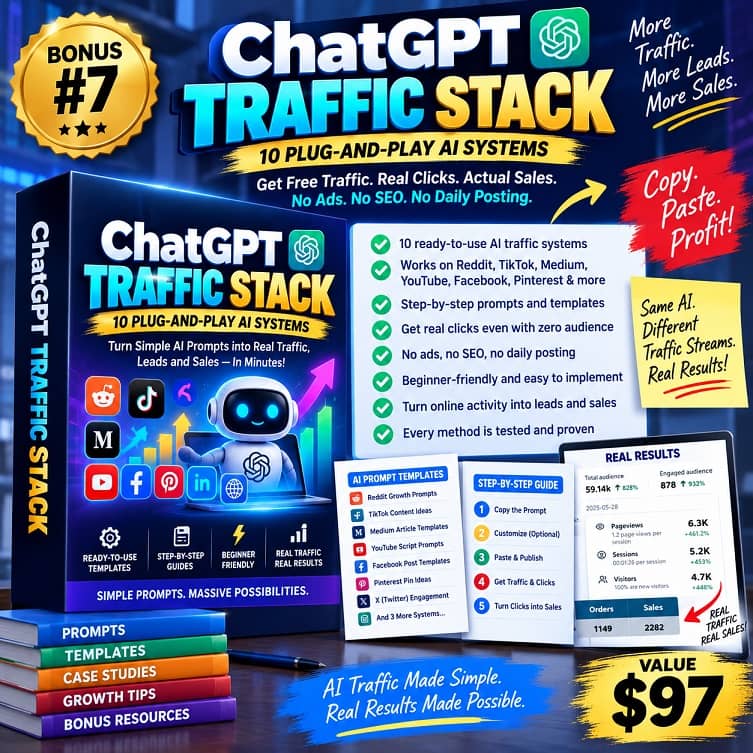
PLUS THESE EXCLUSIVE BONUSES










♨️ Important Update For Getting My Bonuses ♨️
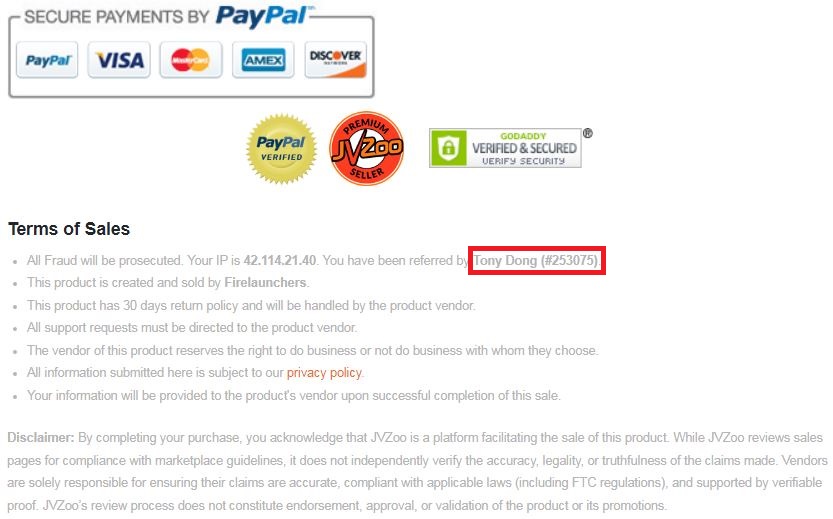
You need to choose Tony Dong (253075) as your Referrer.
- If you see Tony Dong as your “New Referrer”, click the Green “Approve Change” button.
- If you see Tony Dong as your “Previous Referrer“, click the Grey “Deny Change” button.
It’s very important to confirm that my affiliate ID is 253075.
Almost bonuses, I will add them to the purchase portal when you finish your transaction through my ID. If you don’t see it, please follow the instructions below
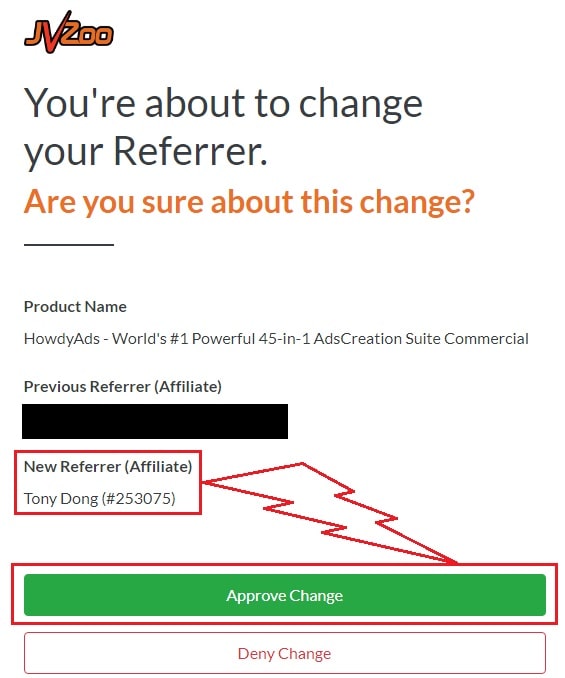
Confirm On The Checkout Page With My ID
☞ STEPS TO GET YOUR BONUSES☜
Please follow all the Important Steps Below to Claim All These Bonuses
(EXTRA BONUS + BONUS PACKAGE 1&2&3&4 + SPECIAL BONUS)
- Step#1: Press (Ctrl+Shift+Delete) or Clean/Delete the Cookies and cache of your web browser. (Please Clear It Before clicking on the Buy Button on the Sale page)
- Step#2: Get RocketToons via any link in this article RocketToons Review or Click here
- Step#3: Confirm my ID is Tony Dong: 253075 on the checkout page, and after completing the transaction, Send Me Your ID Transaction for Verification Through My Support Email at support@reviewproductbonus.com and marketingwithtony@gmail.com
- Step#4: Use the subject line “CLAIM BONUS ROCKETOONS” in your email and wait
You will receive these Bonuses within the NEXT 20 hours.
Thank you for reading my RocketToons Review
Wish You Success and See You Again
Disclosure: This post contains affiliate links. If you buy through them, I may earn a commission at no extra cost to you. This review reflects the product information available at the time of writing, and results will vary.