Adastra Studio Review 2026: Is This $37 AI Sales Video Engine Legit?
Adastra Studio Review covering features, pricing, OTOs, pros and cons, and real use cases. Find out if this AI sales video tool by Misan Morrison is worth $37 before you buy
Product Brand: Adastra Studio
Product Currency: USD
Product Price: 37
Product In-Stock: InStock
4.8
Welcome to my Adastra Studio Review & Exclusive Bonus
If you sell anything on JVZoo, ClickBank, Shopify, or run your own launches as a vendor or affiliate, you already know the drill. Every offer needs a video. Every video needs a script, a voiceover, editing, and about a week you don’t actually have. That’s the gap Adastra Studio is trying to close, and that’s exactly what this Adastra Studio review is going to dig into.
I went through the sales page, the funnel structure, the pricing, and the feature set line by line so you don’t have to guess whether this is another recycled template tool wearing an “AI” label, or something that genuinely earns its place in a marketer’s toolkit.
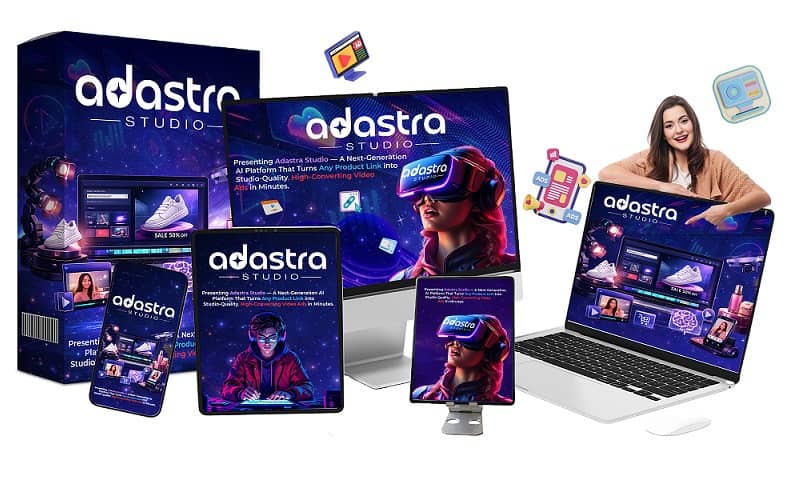

Get Access Adastra Studio Bundle Deal Today
Use Coupon Code ADASTRA100 for $100 OFF

What Is Adastra Studio?
Adastra Studio is a cloud-based AI video generator built specifically for JVZoo vendors, ClickBank affiliates, and launch marketers. Instead of handing you a timeline, clips, and a blank canvas like most video tools do, it takes one input – a product link, an offer page URL, a rough idea, or uploaded product images – and outputs a finished, ready-to-publish sales video.
The pitch is simple: paste a link, wait under a minute, get a video with a script, AI voiceover, matched background music, and scenes built around your actual offer. No filming, no timeline editing, no freelancer back-and-forth.
It’s created by Misan Morrison and positioned toward a fairly specific crowd: people who need launch assets fast — review videos, promo videos, bonus page reveals, product demos, social clips, and paid ad creatives — without hiring a production team for every single one.
How Adastra Studio Actually Works
The workflow is broken into three steps, and this is where the tool either lives up to the hype or falls apart. Based on the demo and the walkthrough on the sales page, here’s the sequence:
Step 1: Feed It an Input
You can paste a JVZoo, ClickBank, Shopify, or Amazon link, drop in a rough product description, or just chat with the built-in AI assistant about what you’re trying to sell. There’s no single “correct” starting point, which matters if you’re the type who sometimes has a polished offer page and other times just has a half-formed idea at 11pm before a launch.
Step 2: The Engine Builds the Video
This is the core mechanic. Adastra reads the offer, pulls out the product name, the benefits, and the angle, then writes a script following a hook-problem-agitation-solution-CTA structure — the same skeleton direct-response copywriters use and charge real money for. From there it generates scenes, adds an AI voiceover in one of 20+ languages, syncs background music that matches the tone, and assembles everything automatically.
There’s also a Spy & Clone Engine baked into the front end, which lets you look at what’s already converting and rebuild that structure around your own offer instead of starting from a blank page.
Watch Adastra Studio Demo Video
Step 3: Export and Publish
Once the video is built, it exports in square, vertical, and landscape formats simultaneously, covering YouTube, Reels, TikTok, Facebook, and standard sales pages without you having to rebuild anything for each platform.
Key Features Worth Knowing About
Here’s the feature list that actually matters, stripped of the sales-page fluff:
Link-to-Video Engine – Paste a sales page or offer link and the tool reads it directly rather than making you re-type your own product details.
Six Video Types in One Platform – Review videos, launch promos, product demos, bonus page reveals, social content, and paid ad creatives, all from the same input.
AI Presenter or Fully Faceless – Useful if you don’t want to be on camera, or if you’d rather the product stay the visual focus.
Multi-Language Voiceover – Over 20 languages, which opens up international offers without hiring separate voice talent per market.
Smart CTA Builder – Adjusts the call-to-action based on the video type, since a bonus reveal and a cold-traffic ad shouldn’t end the same way.
Full Commercial License on the Front End – You can sell finished videos to clients and keep the entire payment, no royalty split.
For a $37 one-time entry point, that’s a fairly loaded feature set — assuming the output quality holds up, which is the real question with any AI video tool.
Adastra Studio Pricing and the Upsell Funnel
This is where a lot of Adastra Studio reviews go quiet, and it shouldn’t be skipped, because the funnel tells you a lot about what the front end can and can’t do on its own.
Front End – $37 one-time >>> See Detail <<<
The core engine: link-to-video creation, six video types, faceless or AI presenter option, HD export, and the commercial license.
OTO 1 – Adastra Unlimited Pro ($67) >>> See Detail <<<
Removes render caps, unlocks 4K export, priority rendering, the full presenter and voice library, and strips Adastra branding from your output.
OTO 2 – DFY Ads Vault + AdSpy Pro ($97) >>> See Detail <<<
Over 100 done-for-you templates across ten niches, plus unlimited spy searches and one-click clone-to-video for ads that are already performing well.
OTO 3 – Adastra AutoPilot ($67) >>> See Detail <<<
Bulk scheduling and auto-publishing across YouTube, Facebook, Instagram, TikTok, and LinkedIn, so you’re not manually uploading every export.
OTO 4 – Template Club ($27/month, recurring) >>> See Detail <<<
Fresh templates and niche packs delivered monthly. This is the only recurring piece in the whole funnel.
OTO 5 – Agency Panel ($147) >>> See Detail <<<
Client sub-accounts, a branded portal, team seats, and a done-for-you client-closing kit if you want to resell video creation as a service.
Bundle – $267 one-time >>> See Detail <<<
Everything above, including twelve months of the Template Club, for one payment.
If you’re only planning to create videos for your own launches occasionally, the front end alone is genuinely enough to get value out of. If you’re planning to sell videos as a service or run multiple client accounts, OTO 1 and the Agency Panel start to matter a lot more.
Who Adastra Studio Actually Makes Sense For
Based on the use cases laid out and the type of buyer this is built for, Adastra Studio fits best if you are:
- A JVZoo or ClickBank affiliate who wants a custom review video for every offer you promote, instead of reusing the vendor’s generic promo material
- A vendor who needs a full launch stack — review, promo, demo, bonus reveal — ready before the launch clock starts
- A freelancer or agency owner who wants to add video creation to your service list without hiring an editor
- A local business marketer who needs a fast, professional-looking promo to close a client on the spot
- A course creator who needs testimonial-style and webinar promo content without a production budget
Who Should Probably Skip It
To be fair, this isn’t the right fit for everyone, and a proper Adastra Studio review has to say so.
If you already have an in-house editor and a working production pipeline, this tool is solving a problem you don’t have. If you’re expecting a single click to replace strategy and offer positioning entirely, that expectation is off — you still need to give it a clear brief and pick the right angle for your audience. And if you’re firmly against using AI-generated video anywhere in your funnel, no feature list will change that, and that’s a legitimate stance to hold.
The Honest Pros and Cons
What stands out:
- One-time pricing on the front end instead of a recurring subscription, which is rare in this category
- Built specifically around launch mechanics rather than generic content creation
- Multi-format export saves real time when you’re posting the same video across three or four platforms
- Commercial license from day one means the tool can pay for itself through client work
What to watch for:
- AI-generated voiceover and avatars, even good ones, still won’t fully match a real human presenter for every niche
- The upsell funnel is long, and some genuinely useful features (4K export, branding removal) sit behind OTO 1 rather than the front end
- Output quality on more technical or highly regulated niches (legal, financial, medical) should be reviewed carefully before publishing, since AI-written scripts can miss compliance nuance
- Like any AI tool, results depend heavily on the quality of the input you give it
Adastra Studio Review: Final Verdict
Stripping away the launch-page urgency and countdown timers, what’s left is a reasonably practical tool: it takes a product link or idea and turns it into a launch-ready video across the formats that actually matter for JVZoo and ClickBank promotion. The $37 front-end price makes it low-risk to test, and the commercial license means even one client project can cover the cost several times over.
It won’t replace a skilled human editor working on a big-budget brand campaign, and nobody serious should claim it will. But for affiliates and vendors who need a decent video out the door before a launch window closes, rather than a perfect one two weeks late, Adastra Studio does what it says on the tin. If your current alternative is either not having a video at all or paying $300 to $800 per freelancer video every single launch, this is worth trying inside the 30-day refund window and judging on your own output.
Frequently Asked Questions
Is Adastra Studio a monthly subscription?
The front end is a one-time payment. Only the optional Template Club upsell is recurring, and it’s entirely optional.
Do I need video editing experience to use it?
No. The workflow is built around a single input (link, idea, or images) rather than a manual timeline, so no editing background is required.
Can I sell the videos I create to clients?
Yes. The front-end package includes a full commercial license, so you can sell, license, or deliver finished videos and keep the full payment.
Is there a refund option if it doesn’t work for me?
The offer includes a 30-day money-back guarantee, so you can test the output on a real offer before committing long-term.
Get Access Adastra Studio Early Bird Discount Now
Use Coupon Code ADASTRA2 for $2 OFF

Get Access Adastra Studio Bundle Deal Today
Use Coupon Code ADASTRA100 for $100 OFF
These are Adastra Studio Bonuses when You Buy Through My Links in This Article Today

AND MORE OF THESE BONUSES


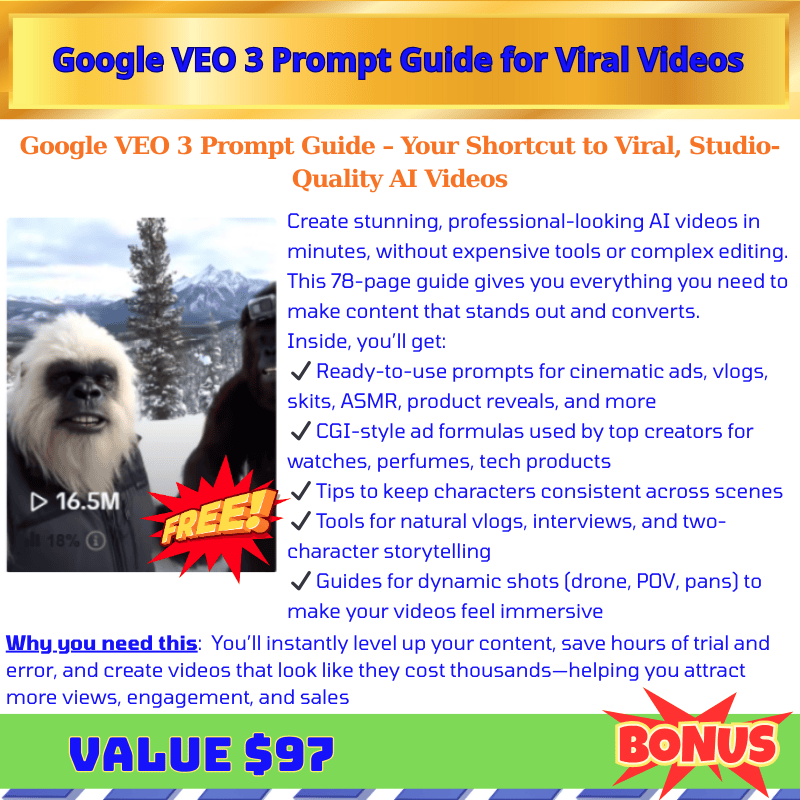







These are Bonuses for Adastra Studio OTO When You Buy More OTO/Upsell
Choose 10 Custom Special Bonuses for Adastra Studio OTO

♨️ Important Update For Getting My Bonuses ♨️
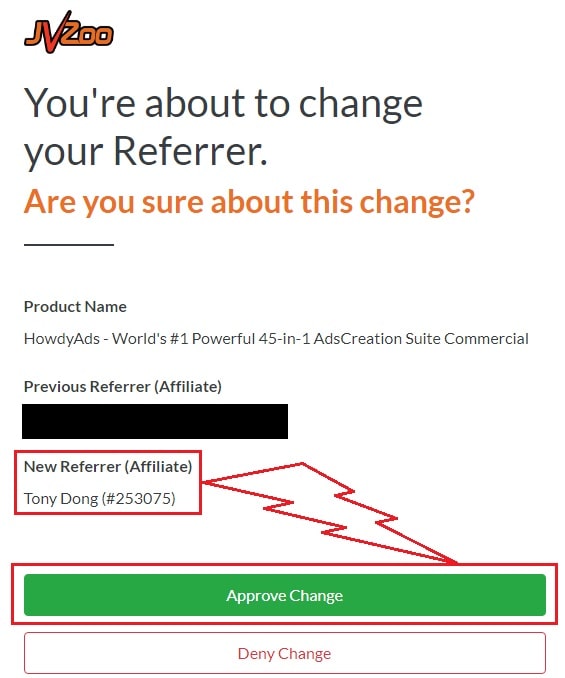
You need to choose Tony Dong (253075) as your Referrer.
- If you see Tony Dong as your “New Referrer”, click the Green “Approve Change” button.
- If you see Tony Dong as your “Previous Referrer“, click the Grey “Deny Change” button.
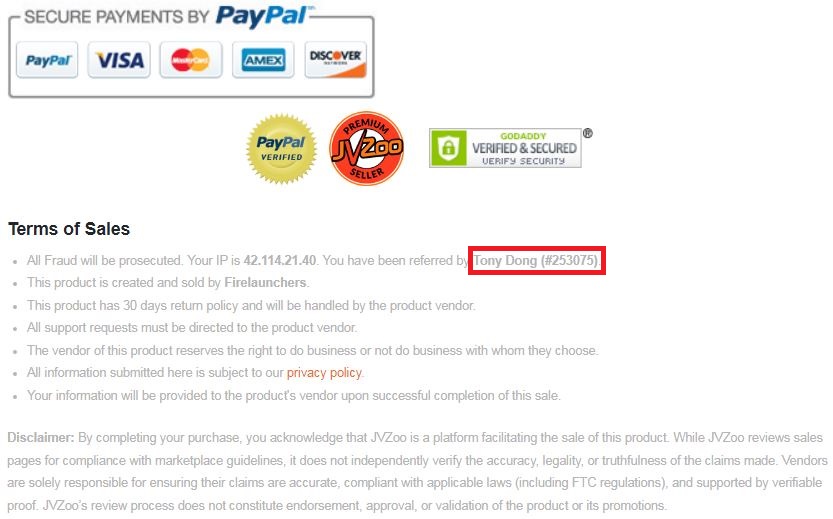
It’s very important to confirm that my affiliate ID is 253075.
Almost bonuses, I will add them to the purchase portal when you finish your transaction through my ID. If you don’t see it, please follow the instructions below
Confirm On The Checkout Page With My ID
☞ STEPS TO GET YOUR BONUSES☜
Please follow all the Important Steps Below to Claim All These Bonuses
(EXTRA BONUS + BONUS PACKAGE 1&2&3&4 + SPECIAL BONUS)
- Step#1: Press (Ctrl+Shift+Delete) or Clean/Delete the Cookies and cache of your web browser. (Please Clear It Before clicking on the Buy Button on the Sale page)
- Step#2: Get Adastra Studio via any link in this article Adastra Studio Review or Click here
- Step#3: Confirm my ID is Tony Dong: 253075 on the checkout page, and after completing the transaction, Send Me Your ID Transaction for Verification Through My Support Email at support@reviewproductbonus.com and marketingwithtony@gmail.com
- Step#4: Use the subject line “CLAIM BONUS ADASTRA STUDIO” in your email and wait
You will receive these Bonuses within the NEXT 20 hours.
Thank you for reading my Adastra Studio Review
Wishing You Success and See You Again
Disclosure: This review is based on publicly available product information and sales page content as of writing. Pricing and features may change; verify current terms directly with the vendor before purchasing