If you’ve done even one live-selling campaign, you already know the real problem isn’t the video. It’s everything around the video – watching chat, answering the same three questions over and over, catching the one person who’s actually ready to buy before they scroll away, and then somehow turning that hour of footage into content you can reuse.
That’s the exact gap LiveStreamSalesAgents AI is trying to close, and it’s why I sat down to go through what Jai Sharma actually built here instead of just repeating the sales page.
This LiveStreamSalesAgents AI review walks through what the software does, how the four AI agents behave inside a live campaign, the pricing and OTO structure, and who this is realistically a good fit for. I haven’t run a six-figure launch through it myself, so I won’t pretend this is a hands-on stress test — what I can give you is a clear-eyed breakdown of the workflow, the feature set, and where I’d personally slow down before hitting “buy.”
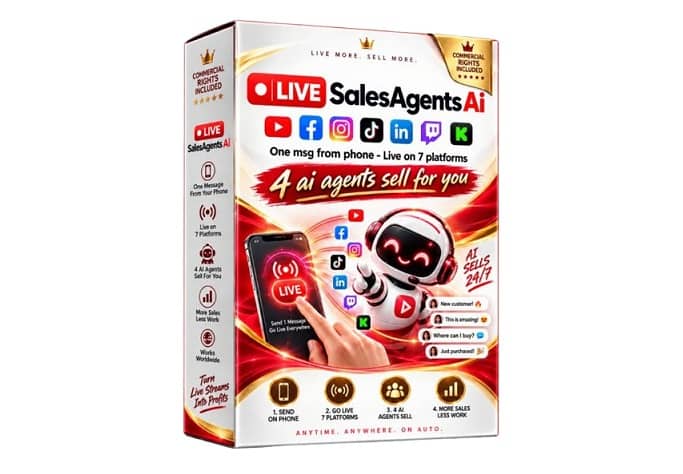

Get Access LiveStreamSalesAgents AI Bundle Deal

What Exactly Is LiveStreamSalesAgents AI?
LiveStreamSalesAgents AI is a browser-based live-commerce platform built around one core idea: take a video you’ve already recorded – a webinar, a demo, a VSL, a product walkthrough – and turn it into an interactive livestream event instead of just re-uploading the same file to another platform.
Once that video is loaded in, four AI agents sit on top of the broadcast and handle the jobs a human producer would normally be doing manually: running the scene sequence, replying to viewer questions, keeping the audience engaged, and catching the comments that signal someone’s ready to buy.
The stream can also go out to multiple channels at once — Facebook, YouTube, Twitch, Instagram, LinkedIn, and a few custom destinations — from a single dashboard, and whatever gets recorded during the event can later be cut down into short clips for Reels, Shorts, and TikTok.
So it’s not a video generator. It’s closer to an automation layer that sits between content you already made and the audience watching it live.
Who Built LiveStreamSalesAgents AI?
The product comes from Jai Sharma, a name that’s fairly well known in the software-launch and affiliate marketing space. His previous releases — tools like AiInstaFriend, ViralClips, AiVideoStitcherFx, and TokPrimeAi — sit in roughly the same lane: AI-driven content, social distribution, and marketing automation.
That track record doesn’t automatically make LiveStreamSalesAgents AI worth buying, but it does mean this isn’t a first-time developer testing a brand-new market. The build fits naturally into a pattern he’s shipped before, which at least removes “random unproven creator” from the list of concerns.
The Four AI Agents, Explained
Most of the marketing around this launch leans on the “AI agents” angle, so it’s worth breaking down what each one is actually supposed to do rather than treating it as a buzzword.
Hosty — Keeps the Broadcast Moving
Hosty is the production assistant. It takes your prerecorded video and runs it as live content, moving through whatever scene sequence you set up beforehand — intro, demo, offer, close, repeat.
This is genuinely useful because normally someone has to babysit that transition manually. The catch: automation repeats mistakes just as reliably as it repeats good decisions. A broken link or a poorly timed call-to-action doesn’t just happen once — it happens on a loop until you catch it. Worth reviewing your full scene sequence before walking away from it.
Chatty — Answers Viewer Questions Across Channels
Chatty monitors comments and replies using whatever product info and FAQs you’ve fed it. When you’re streaming to five platforms at once and viewers are asking different questions on each one, this is where the time savings show up fastest.
The obvious limitation: it’s only as accurate as the information you load in. If your pricing, guarantee terms, or product claims are outdated, Chatty will confidently repeat the wrong answer to every viewer who asks — just faster than a human would.
Buzzy — Keeps the Audience Engaged
Buzzy runs the interactive layer: polls, quizzes, voting. A prerecorded video is passive by default — people either watch or they leave. Giving viewers something to click during the stream is a small feature that does more work than it looks like on paper, as long as you don’t overload the broadcast with interruptions.
Closer — Catches Buying Intent
This is the agent doing the actual commercial lifting. Closer scans comments for buying signals — “how much,” “where do I order,” “is there a discount” — and can surface the offer link and pricing on the spot instead of making that viewer wait.
That matters because purchase intent doesn’t sit around. Someone asking “where do I buy this” fifteen minutes before the host gets to it is a viewer who might just leave instead. Just don’t treat intent detection as flawless — final responsibility for the offer, the claims, and the pricing is still yours.
How the Workflow Actually Works
Stripped down, setting up a campaign looks like this:
- Set up your workspace — organize projects and pick a template to start from.
- Connect your streaming channels — authorize each destination individually (stream keys, account permissions, the usual admin work).
- Add your lead capture — registration form, download, booking, or product form, depending on your campaign goal.
- Load your product information — the single most important step, since every AI agent pulls from whatever you put here.
- Build your scenes — arrange video, overlays, timers, QR codes, and offers into a sequence.
- Activate the agents — Hosty, Chatty, Buzzy, and Closer go live together.
- Run and monitor the stream — including remote control through Telegram if you’re not at your desk.
- Review leads and analytics — views, clicks, form submissions, conversions.
None of this is “set it and forget it forever.” It’s closer to setting up a system once so you’re not repeating the same manual actions on every single broadcast.
Other Features Worth Knowing About
- Turn existing videos into live events — reuse a webinar or VSL you already paid to produce instead of recording something new every time.
- Multi-platform broadcasting — stream to several networks from one dashboard (Instagram specifically requires a professional account).
- Lead capture, QR codes, and offers — built directly into the broadcast, so the next step isn’t “check the link in my bio.”
- AI clip generator — repurposes stream footage into short-form clips after the event ends.
- Browser-based studio — drag-and-drop scene builder with overlays, webcams, screen sharing, and multiple aspect ratios (16:9, 1:1, 9:16).
- Telegram remote control — start, stop, and monitor streams without staying glued to the dashboard.
- Plugin mode — works alongside OBS, StreamYard, or Restream if you already have a production setup you don’t want to abandon.
LiveStreamSalesAgents AI Pricing and OTOs
The front-end is listed at $27 as a one-time payment, backed by a 30-day money-back guarantee. That’s the sensible starting point — connect one platform, load one video, run one campaign, and decide from there whether the automation actually earns its keep in your workflow.
Beyond the front-end, there are three upgrade paths:
- OTO 1 — Pro Unlimited ($47): removes the caps on live events, streaming hours, projects, chat replies, Closer triggers, storage, and leads. Makes sense once you’re actually hitting those limits, not before.
- OTO 2 — Platinum DFY Template Pack ($47): 122 done-for-you live-selling templates across 12 categories. This is a time-saver, not a functionality upgrade — skip it if you don’t mind building scenes yourself.
- OTO 3 — White Label Reseller Rights ($197–$997): lets you rebrand the platform and sell access under your own name. Only relevant if your actual business plan involves reselling software, not just running your own campaigns.
There’s also a bundle at $297 combining the core product with all three upgrades — worth it only if you genuinely need everything in it, not because bundling sounds efficient on paper.
Pros and Cons
What stands out:
- Combines broadcasting, chat, engagement, and sales response in one system instead of five separate tools
- Reuses content you’ve already produced rather than demanding fresh video every time
- Built-in lead forms and QR codes turn a passive stream into something measurable
- One-time front-end pricing instead of another recurring subscription
- Plugin mode protects your existing OBS/StreamYard setup if you already have one
Where I’d be cautious:
- Setup quality directly determines output quality — vague product info means vague, sometimes wrong, AI answers
- Instagram and other platforms still require the correct account type and permissions
- The feature list is large enough that complete beginners may need a session or two just to get oriented
- It automates the mechanics of a live campaign — it does not manufacture traffic, an audience, or an offer people actually want
- Heavy users will likely hit front-end limits and need the Pro upgrade eventually
Who Should Actually Buy This?
LiveStreamSalesAgents AI fits best for people who already have something worth streaming and a reason to do it repeatedly:
- Affiliate marketers who want to reuse demo and comparison videos with AI handling repetitive Q&A and offer links
- Ecommerce sellers running product launches, demos, or Q&A broadcasts
- Coaches and course creators hosting webinars or evergreen presentations with lead capture built in
- Agencies and freelancers managing streaming campaigns for multiple clients, especially with the Pro or White Label tiers
- Local businesses running promotions, bookings, or launch events
If you don’t currently create video, don’t have any audience to speak of, or you’re hoping software alone will generate demand — this isn’t solving that problem. It’s an automation layer for people who already have the raw material.
Final Verdict
LiveStreamSalesAgents AI Review comes down to a fairly simple question: is the workload it’s automating a workload you actually have? If you’re running live or live-style selling campaigns and the manual side of it — chat, engagement, offer timing, lead capture — is what’s slowing you down, this is a genuinely coherent attempt at consolidating that into one system.
It’s not magic. You still need a decent offer, accurate product information loaded in correctly, and some plan for getting people to actually watch. But at a $27 front-end with a 30-day guarantee, the real cost of testing it against a live campaign is low, and that’s the fairest way to judge whether it earns a spot in your stack.
Frequently Asked Questions
Can I use videos I already have?
Yes — webinars, demos, VSLs, and presentations can all be used as the core content for a live event.
Do I have to appear live on camera?
No. Prerecorded video can run as the entire broadcast, though you can also add webcams and screen sharing if you want a live element.
Which platforms does it support?
Facebook, YouTube, Twitch, Instagram, LinkedIn, and additional custom streaming destinations.
Does it work with OBS or StreamYard?
Yes, through a plugin mode designed to sit alongside your existing production setup.
Is there a refund policy?
Yes — a 30-day money-back guarantee on the front-end purchase.
Do I need the OTOs to use the core product?
No. The front-end works on its own. The upgrades address specific limits or needs (volume, templates, reselling) that not every buyer will run into.
Get Access LiveStreamSalesAgents AI Early Bird Discount Now

Get Access LiveStreamSalesAgents AI Bundle Deal Today
These are LiveStreamSalesAgents AI Bonuses When You Buy It Through My Link Today
Bonus 1 : iGramMachine
iGramMachine is exactly that software tool. It helps put your Instagram account on autopilot, doing the liking and commenting activities for you round the clock, attracting followers to your account even when you are asleep. It’s a powerful tool, but if used incorrectly, you could appear like a spammer and lose hard-earned real followers.
Bonus 2: Pinterest Traffic Automator
Automatically pin images from your WordPress to your Pinterest account.
Did you know Pinterest drives more traffic than YouTube and LinkedIn combined?
This is why I have decided to give away a tool that will pin images from your post automatically to pinterest.com. Just install it and forget your Pinterest account as Pinterest Automatic will do all the pinning work for you, getting you FREE unlimited traffic on complete autopilot.
Bonus 3: LinkedIn Auto Post Machine (Multi Account License & Whitelabel)
Are you tired and finding it difficult to carry out a brand advertising campaign on LinkedIn, posting to LinkedIn every day? These simple and powerful Scripts will help you get closer to your goal.
With just a few clicks, you can create a promotion campaign on LinkedIn. The many features available on the script will certainly give you a great experience.
Bonus 4: 300 Ready-Made Logo Designs – Great For Offline Clients!
What if you are not a graphic designer and you need to have a logo for your blog or your company? Your next move would likely be hiring someone to create it for you and it is not cheap.
The good news is that inside this amazing product is a bundle of logo templates that you can use today for your own product to your clients or resell it.
Bonus 5: 1-Click Fan Inviter Tool
This is a growth hacking tool that converts post likes into fan page likes by mass inviting everybody who liked your posts to like your fan page.
You work hard and carefully create a Facebook post that goes viral…but sadly people end up only liking your post without liking your page. The solution is to invite them to like your page.
Now, it’s true that Facebook allows you to invite people who liked your posts manually, one by one, eating into an already highly scarce and valuable resource today, i.e. your time…1-click fan Inviter is a growth tool that allows you to invite everyone in 1 click.
THAT’S NOT ALL. THESE ARE MORE BONUSES


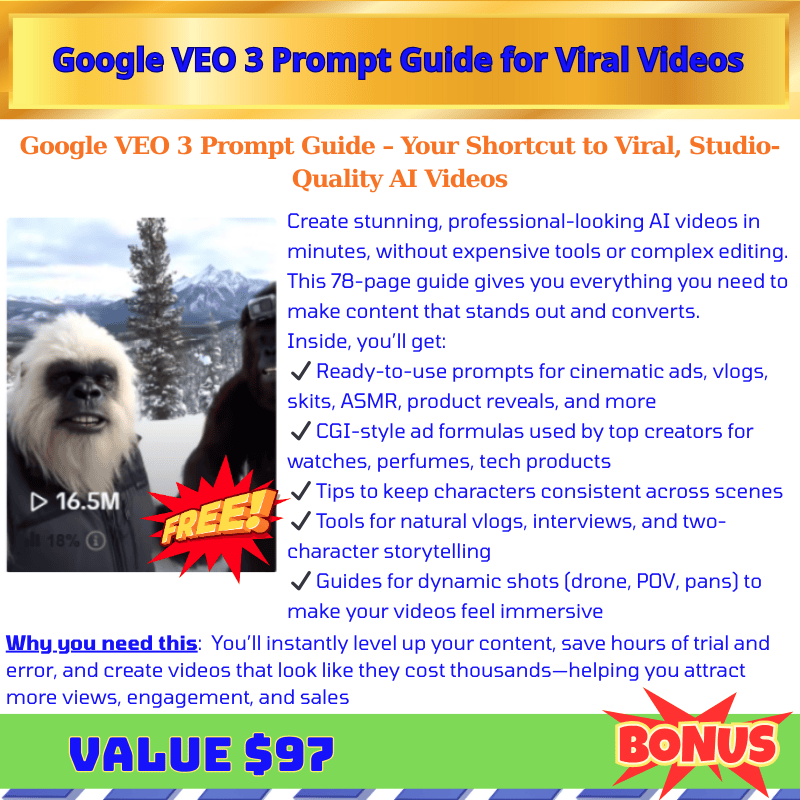







These are Bonuses for LiveStreamSalesAgents AI OTO When You Buy More OTO/Upsell
Choose 10 Custom Special Bonuses for LiveStreamSalesAgents AI OTO

♨️ Important Update For Getting My Bonuses ♨️
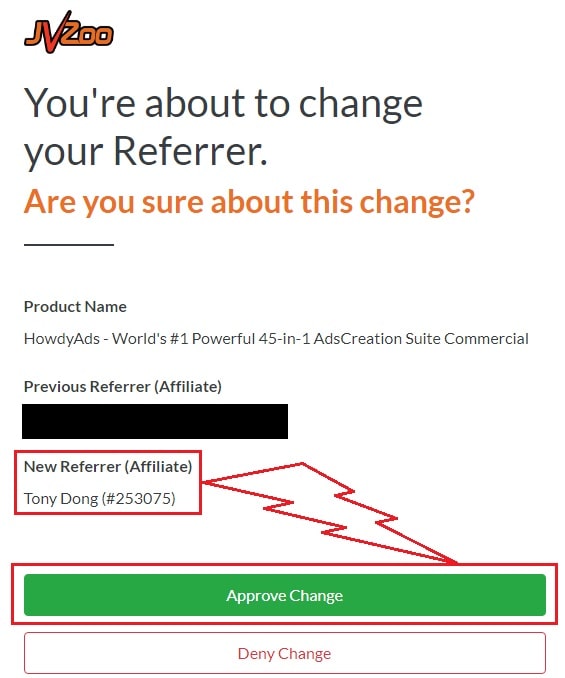
You need to choose Tony Dong (253075) as your Referrer.
- If you see Tony Dong as your “New Referrer”, click the Green “Approve Change” button.
- If you see Tony Dong as your “Previous Referrer“, click the Grey “Deny Change” button.
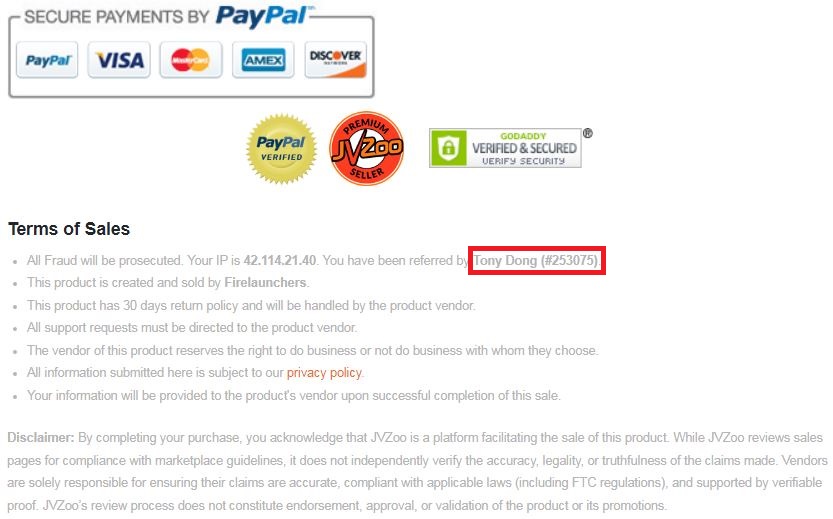
It’s very important to confirm that my affiliate ID is 253075.
Almost bonuses, I will add them to the purchase portal when you finish your transaction through my ID. If you don’t see it, please follow the instructions below
Confirm On The Checkout Page With My ID
☞ STEPS TO GET YOUR BONUSES☜
Please follow all the Important Steps Below to Claim All These Bonuses
(EXTRA BONUS + BONUS PACKAGE 1&2&3&4 + SPECIAL BONUS)
- Step#1: Press (Ctrl+Shift+Delete) or Clean/Delete the Cookies and cache of your web browser. (Please Clear It Before clicking on the Buy Button on the Sale page)
- Step#2: Get LiveStreamSalesAgents AI via any link in this article LiveStreamSalesAgents AI Review or Click here
- Step#3: Confirm my ID is Tony Dong: 253075 on the checkout page, and after completing the transaction, Send Me Your ID Transaction for Verification Through My Support Email at support@reviewproductbonus.com and marketingwithtony@gmail.com
- Step#4: Use the subject line “CLAIM BONUS LiveStreamSalesAgents AI” in your email and wait
You will receive these Bonuses within the NEXT 20 hours.
Thank you for reading my LiveStreamSalesAgents AI Review
Wishing You Success and See You Again
Disclosure: This review contains an affiliate link. If you purchase LiveStreamSalesAgents AI through this page, I may earn a commission at no extra cost to you.