Posting on TikTok every day is the part that wears most people down. You need ideas, scripts, footage, captions, hashtags and a posting schedule, and all of it has to happen again tomorrow.
TokMax AI, created by Dr. Amit Pareek and Atul Pareek, claims to take most of that off your plate. You type an idea, it builds the video, and it posts on a schedule you set. You never film anything or show your face.
In this TokMax AI review, I go through what the software does, what it costs, how the upsells work, and who should skip it. I based this on the sales page and the full funnel breakdown, and I point out where the marketing claims more than it proves.


What Is TokMax AI?
TokMax AI is a cloud-based tool for creating, scheduling and managing TikTok content. It runs in your browser, so there is nothing to install and no server to set up.
The idea is a faceless channel. You pick a topic or niche, and the software generates videos with voiceover, captions and music. You can then schedule them, or upload videos you already made and schedule those instead.
It is sold as a one-time purchase with no monthly fee, which is unusual for AI video tools. Most of them charge a subscription.
TokMax AI Review: Quick Overview
- Product: TokMax AI
- Creators: Dr. Amit Pareek and Atul Pareek
- Type: Browser-based AI video creator and TikTok scheduler
- Front-end price: $37 one-time (see the sales page for the current price)
- Starting credits: 5,000 (one time only)
- License: Commercial license included
- Best for: Beginners, faceless channel builders, freelancers, small agencies, local business owners
- Not ideal for: People who want guaranteed income or who dislike upsells
What You Get Inside TokMax AI
The front-end version, called TokMax Creator, includes the following.
AI TikTok Video Creator
You can start from a keyword, topic, product, image, script or URL. The tool turns that input into a finished short video. The sales page says it uses top-ranked AI video models, but it does not name which ones, so I would test the output quality yourself before judging it.
AI Script and Hook Generator
This writes hooks, scripts and calls to action for your niche. Hooks matter on TikTok because the first couple of seconds decide whether anyone keeps watching.
Built-In Video Editor
The editor lets you trim, split, crop, resize, add captions, add music and record voiceovers. It handles the basic fixes so you do not have to open a second app.
TikTok Scheduler and Bulk Scheduling
You choose the date, time, day and time zone for each post. Bulk scheduling lets you load many videos at once and spread them out. The sales page talks about scheduling a full month in a few clicks, and uploading 20, 50 or 100 videos at a time.
Content Calendar
The calendar sorts your posts into upcoming, scheduled, published and failed. A “failed” tab is useful, since you can see what did not go out instead of finding out days later.
AI Content Agent
This is a chat-style assistant. You ask in plain English for something like a 30-day plan, and it returns topics, scripts, captions and hashtags.
AI Content Optimizer
It reworks hooks, descriptions, keywords, hashtags and calls to action so your posts are tighter before you publish.
TikTok Analytics and Content Recommendations
You can check views, likes, comments, shares and engagement, and the tool suggests what to make next. It also claims to spot top-performing videos in your niche for ideas.
Smart Video Library
This stores, organizes and searches your videos. It sounds minor, but it saves time once you have a few dozen clips.
Commercial License
The license lets you make videos for clients, such as local restaurants, salons and shops, and keep the money. That makes TokMax AI more than a personal posting tool.
TokMax AI Pricing
According to the funnel breakdown, the pricing looks like this:
- TokMax Creator (front end): $37 one-time
- OTO 1, TokMax Faceless: $47 one-time
- OTO 2, TokMax Power: $37 one-time
- OTO 3, TokMax AutoTraffic: $47 one-time
- OTO 4, TokMax DFY Service: $97 one-time
- OTO 5, TokMax White Label Agency: $97 one-time
- Fast Pass (OTO 1 to 5 plus 30,000 bonus credits): $230 one-time
- Mega Bundle: $147 one-time
The sales page also shows a crossed-out “$197 monthly” value with a “75% discount” banner. Treat that as marketing. The funnel document lists the real entry price as $37, so check the checkout page for what you actually pay on the day.
Taking OTO 1 to 5 separately adds up to $325. Fast Pass at $230 saves you $95 and adds the bonus credits.
TokMax AI Upsells Explained
Most of the upgrades are optional, but they change what the tool can do, so here is what each one adds.
OTO 1: TokMax Faceless ($47) >>> See Detail <<<
This adds a faceless channel builder, trend research, a niche-to-video pipeline, ready-made faceless video formats, a viral hook generator, a series builder and script frameworks. If your whole plan is a faceless channel, this is the most relevant upgrade.
OTO 2: TokMax Power ($37) >>> See Detail <<<
This speeds up video processing and expands bandwidth and storage. It also unlocks premium done-for-you videos and adds regular updates.
OTO 3: TokMax AutoTraffic ($47) >>> See Detail <<<
This covers auto-posting, auto-reply, trend tools, a traffic dashboard and support for several TikTok accounts where supported. The sales material includes the phrase “where available” and “where supported” in several places, so features may depend on region and platform rules.
OTO 4: TokMax DFY Service ($97) >>> See Detail <<<
Here the team sets things up for you. It includes a dedicated account manager, niche research, a 30-day content calendar, 12 niche kits and affiliate guides for 10 USA marketplaces. This is for people who want a head start and do not want to configure anything.
OTO 5: TokMax White Label Agency ($97) >>> See Detail <<<
This lets you rebrand the dashboard with your own logo, create client accounts quickly, track client usage and sell the tool as your own. Only buy it if you actually plan to run an agency or resell.
Mega Bundle ($147) >>> See Detail <<<
It adds 12,000 credits in total and removes limits on things like auto-posting, storage, exports and client accounts. The bundle wording uses “unlimited” heavily, and I would read the fair-use terms before counting on that.
Who Should Buy TokMax AI?
TokMax AI makes the most sense for:
- Beginners who want to start a TikTok channel but have never edited a video
- People building faceless channels in a niche they care about
- Freelancers who want to sell short video services to local businesses
- Small agencies that need to create and schedule content for several clients
- Busy creators who want to batch a month of content in one sitting
Who Should Skip It?
Skip it if you:
- Expect money to arrive without effort. The tool saves production time, but it does not guarantee views, followers or income
- Want a studio-grade editor with full manual control
- Dislike funnels with several upsells
- Need strong brand-specific video styles that generic AI output cannot match
Pros and Cons of TokMax AI
Pros
- One-time payment, no monthly subscription
- Covers ideas, scripts, video creation, editing, scheduling and analytics in one place
- Works in the browser with no install
- Bulk scheduling and a content calendar make a daily posting habit easier
- Commercial license included at the front-end level
- 5,000 starting credits so you can test it right away
Cons
- The starting credits are a one-time allowance, and heavy users will want more
- The best features, such as faceless workflows and auto-posting, sit behind upsells
- Income claims on the sales page are broad and unproven
- Some features are marked “where available”, so check your region
- AI-made video quality varies, and TikTok can limit reach on low-effort or repetitive content
Does TokMax AI Really Work?
It can save you a lot of production time, and that part is believable. Typing an idea and getting a finished video, then scheduling it, removes the steps that make most people quit.
What no software can promise is audience growth. TikTok rewards videos people actually watch. If your topic is weak or your videos all look the same, a tool that posts daily just means you post weak videos daily.
My advice is to pick one narrow niche, test a batch of videos, look at the analytics after a couple of weeks, and then decide whether any upsell is worth buying. Do not start with the $230 bundle.
TokMax AI vs Doing It Manually
Making a single short video by hand usually means writing a script, finding footage, editing, adding captions and exporting. Hiring someone for it can cost real money per clip. TokMax AI replaces most of those steps with one input box.
The trade-off is control. A human editor can match your exact style, and an AI tool will give you a faster but more generic result. For high-volume faceless content, the speed is usually worth more than the polish.
Is TokMax AI Worth It?
For $37 one time, TokMax AI is a fairly low-risk way to test faceless TikTok content. The core package already includes the creator, scheduler, editor, analytics and a commercial license, so you do not need any upsell to get started.
It is a good fit if you want to post consistently without filming. It is a poor fit if you are hoping for fast money with no testing and no effort.
[Get TokMax AI Here – Insert Your Affiliate Link]
TokMax AI Review: Frequently Asked Questions
Is TokMax AI a one-time payment?
Yes. The front-end product is a one-time purchase with no monthly fee, according to the sales page. The upsells are also one-time payments.
Do I need to show my face to use TokMax AI?
No. It is built for faceless videos with AI-generated visuals, voiceover, captions and music.
Can I use TokMax AI for client work?
Yes. The commercial license is included, so you can make videos for local businesses and charge for them.
How many credits come with TokMax AI?
The front-end version includes 5,000 free credits, given one time only. The Mega Bundle adds more, and Fast Pass includes 30,000 bonus credits.
Do I have to buy the upsells?
No. The $37 version includes the main creator, scheduler, editor and analytics. The upsells add faceless workflows, auto-posting, done-for-you services and agency features.
Can TokMax AI guarantee views or income?
No. It helps you produce and schedule content faster, but results depend on your niche, your video quality and TikTok’s algorithm.
Does TokMax AI work on other platforms?
The product is built around TikTok. The Mega Bundle mentions multi-format export and support across supported platforms, but check the official page for the current list.
Is there a refund policy?
The sales page mentions “Satisfaction Guaranteed”, but it does not spell out the terms. Read the refund policy at checkout before you pay.
Final Verdict
TokMax AI is a practical tool for people who want to publish faceless TikTok videos without filming or editing. The one-time price is reasonable, and the core features cover the full path from idea to scheduled post.
Start with the front-end version, test it on a single niche, and only add upgrades if you hit a real limit. If you want to see the dashboard and demo videos yourself, you can check them on the official page below.
Get Access TokMax AI Early Bird Today

THESE ARE TOKMAX AI BONUSES WHEN YOU BUY IT VIA MY LINK TODAY
🎁 VIP Bonus #1: TikTok Faceless Niche Goldmine
Stop guessing what to post about. A researched list of 30 faceless niches that grow fast on TikTok, each with an audience type, content angle and money-making path.
🎁 VIP Bonus #2: Scroll-Stopper Hook Vault: 300 Hooks
Swipe file of 300 plug-and-play opening lines that stop the scroll in the first 3 seconds, sorted by niche and emotion.
🎁 VIP Bonus #3: 30-Day TikTok Post-Planner
A full month of daily content ideas with a posting schedule, ready to load into TokMax Ai’s scheduler.
🎁 VIP Bonus #4: 500 Cinematic AI Video Prompts
Copy-and-paste prompts that give TokMax Ai’s video models cinematic, high-quality results in any niche.
🎁 VIP Bonus #5: Faceless Script Factory
Done-for-you voiceover scripts so users can paste, generate and post without writing anything.
🎁 VIP Bonus #6: TikTok Algorithm Decoder 2026
A clear, no-fluff guide to how TikTok decides who sees a video and how to work with it.
🎁 VIP Bonus #7: Viral Trend Radar System
A simple routine to spot trending sounds, formats and hashtags early and turn them into faceless videos.
🎁 VIP Bonus #8: Caption & Hashtag Cash Kit
Ready-to-use captions and hashtag sets that boost reach, comments and profile visits.
🎁 VIP Bonus #9: Profile Magnet Blueprint
Turn your profile into a follower-converting page: bio, name, picture, pinned videos and link.
🎁 VIP Bonus #10: 0 to 10K Followers Roadmap
A week-by-week action plan taking a new account to its first 10,000 followers.
🎁 VIP Bonus #11: Engagement Explosion Playbook
Tactics to get more comments, shares and saves, which feed TikTok’s algorithm.
🎁 VIP Bonus #12: TikTok Analytics Decoder
Learn to read your numbers and double down on what works.
🎁 VIP Bonus #13: Views-to-Traffic Funnel Kit
Turn TikTok attention into website visits, email subscribers or offers, even without selling directly.
🎁 VIP Bonus #14: Faceless Affiliate Profits on TikTok
Show users how to earn commissions by promoting offers through faceless videos.
🎁 VIP Bonus #15: TikTok Shop Quick-Start Guide
A beginner walkthrough for promoting products with TikTok Shop using AI videos.
🎁 VIP Bonus #16: Seasonal Viral Calendar
Timely video ideas around holidays, winter and key events so users post at the right moment.
🎁 VIP Bonus #17: Retention Storytelling Cheat Sheet
Story structures that keep people watching to the end, which boosts reach.
🎁 VIP Bonus #18: Cover & Text Overlay Style Pack
Eye-catching cover text styles, colors and layouts that make profiles look professional.
🎁 VIP Bonus #19: One-Video Multi-Platform Machine
Reuse each TokMax Ai video across Instagram Reels, YouTube Shorts and Facebook for more reach.
🎁 VIP Bonus #20: Fast-Track Video Training: First Viral Video
A short walkthrough video showing how to take an idea from a hook to a published, scheduled TikTok with TokMax AI.
PLUS THESE EXCLUSIVE BONUSES

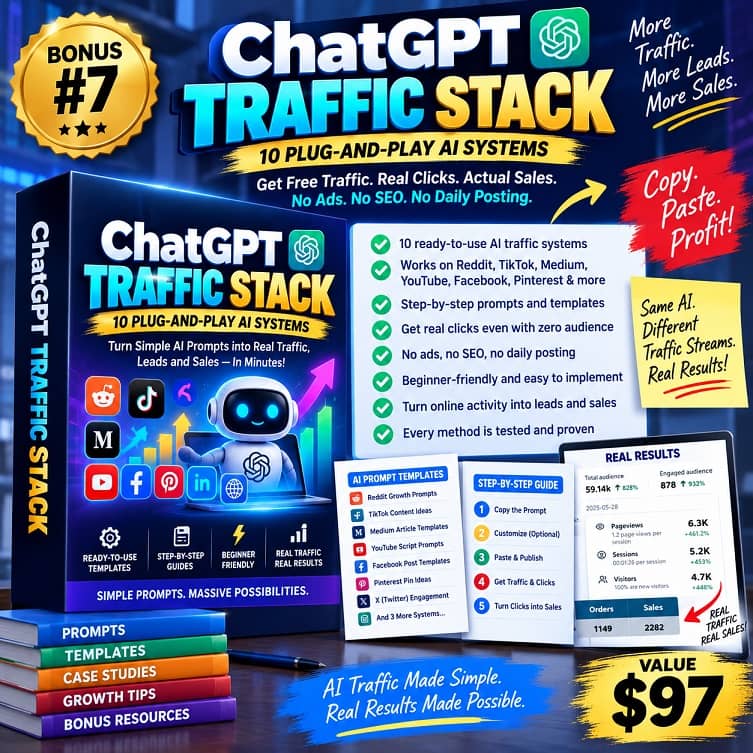

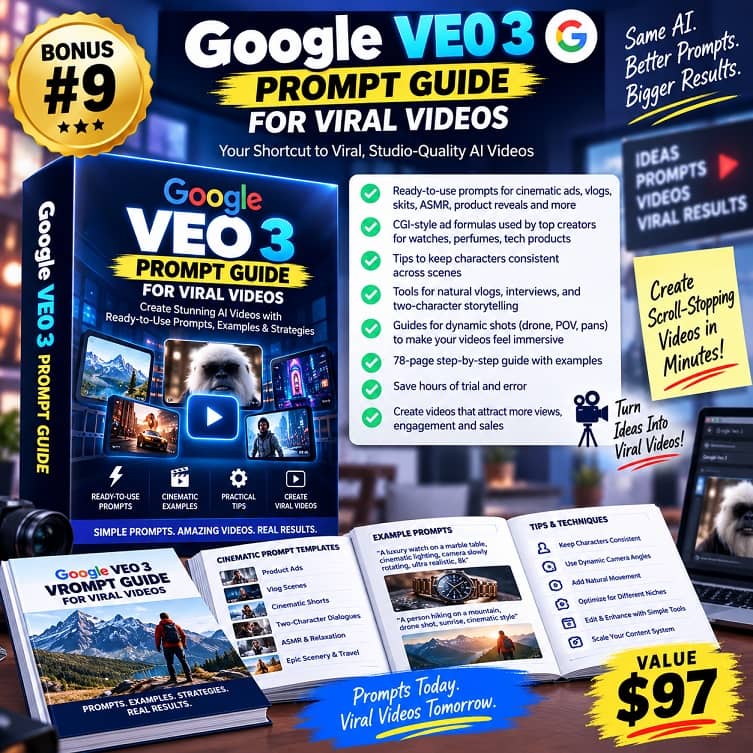

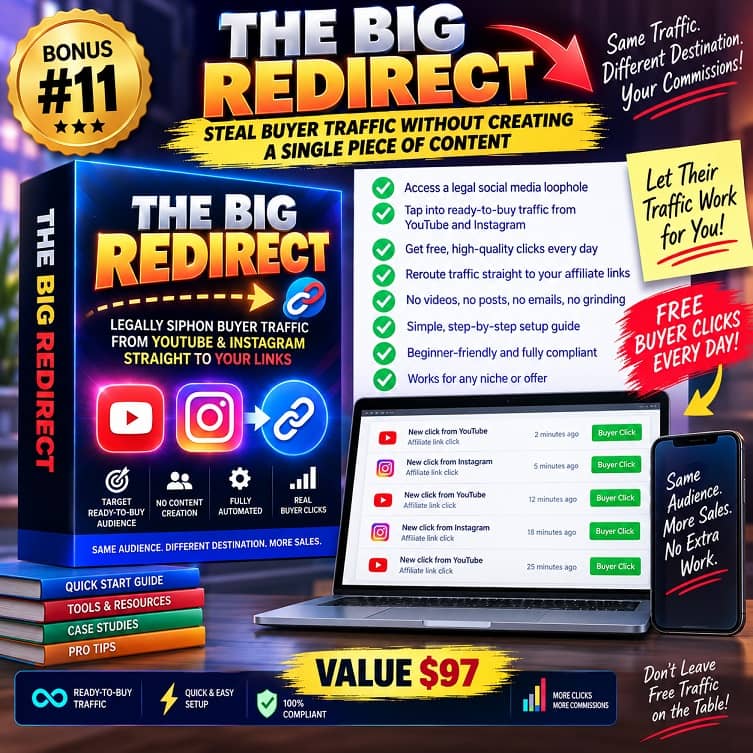








♨️ Important Update For Getting My Bonuses ♨️
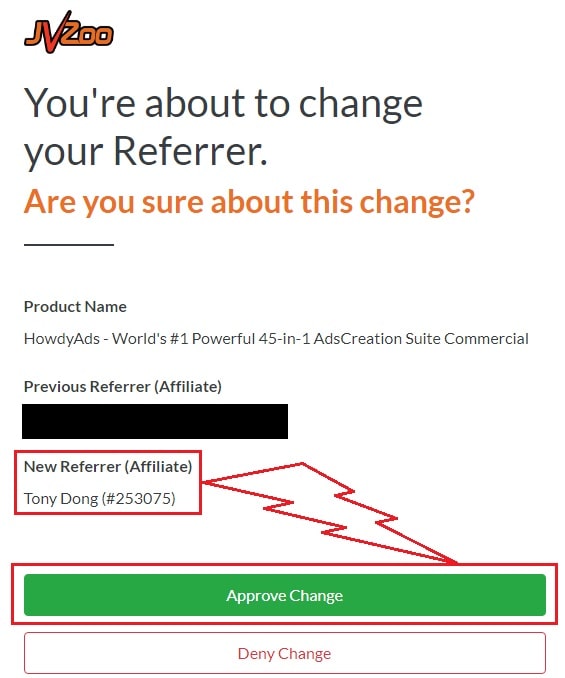
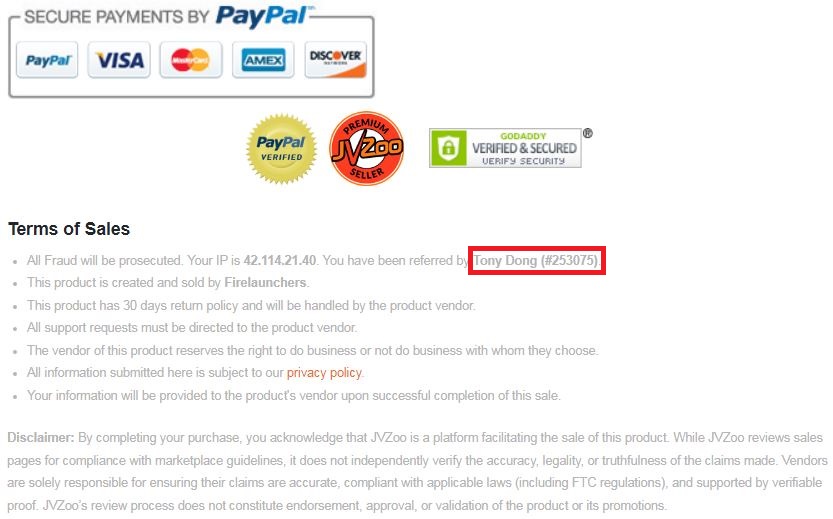
You need to choose Tony Dong (253075) as your Referrer.
- If you see Tony Dong as your “New Referrer”, click the Green “Approve Change” button.
- If you see Tony Dong as your “Previous Referrer“, click the Grey “Deny Change” button.
It’s very important to confirm that my affiliate ID is 253075.
Almost bonuses, I will add them to the purchase portal when you finish your transaction through my ID. If you don’t see it, please follow the instructions below
Confirm On The Checkout Page With My ID
☞ STEPS TO GET YOUR BONUSES☜
Please follow all the Important Steps Below to Claim All These Bonuses
(EXTRA BONUS + BONUS PACKAGE 1&2&3&4 + SPECIAL BONUS)
- Step#1: Press (Ctrl+Shift+Delete) or Clean/Delete the Cookies and cache of your web browser. (Please Clear It Before clicking on the Buy Button on the Sale page)
- Step#2: Get TokMax AI via any link in this article TokMax AI Review or Click here
- Step#3: Confirm my ID is Tony Dong: 253075 on the checkout page, and after completing the transaction, Send Me Your ID Transaction for Verification Through My Support Email at support@reviewproductbonus.com and marketingwithtony@gmail.com
- Step#4: Use the subject line “CLAIM BONUS TOKMAX AI” in your email and wait
You will receive these Bonuses within the NEXT 20 hours.
Thank you for reading my TokMax AI Review
Wish You Success and See You Again
Disclosure: This post contains affiliate links. If you buy through them, I may earn a commission at no extra cost to you. This review reflects the product information available at the time of writing, and results will vary.


